An email alias in Active Directory is a secondary email address linked to a Microsoft Exchange mailbox, allowing the mailbox to receive emails sent to either the primary or secondary address. You can add a secondary email address by adding additional proxyAddress on the account.
In this article, I walk through how to easily add an email alias to a single or multiple user accounts.
Video Tutorial
How to Add Email alias in Active Directory
Step 1. Open Active Directory Users and Computers
Step 2. Open the account and click on the “Attribute Editor” tab.
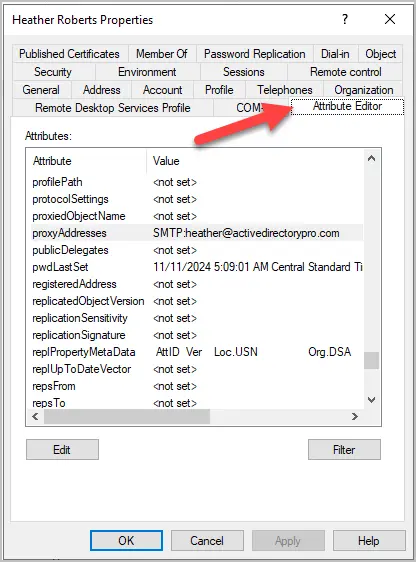
Step 3. Click on the proxyAddresses attribute and select edit
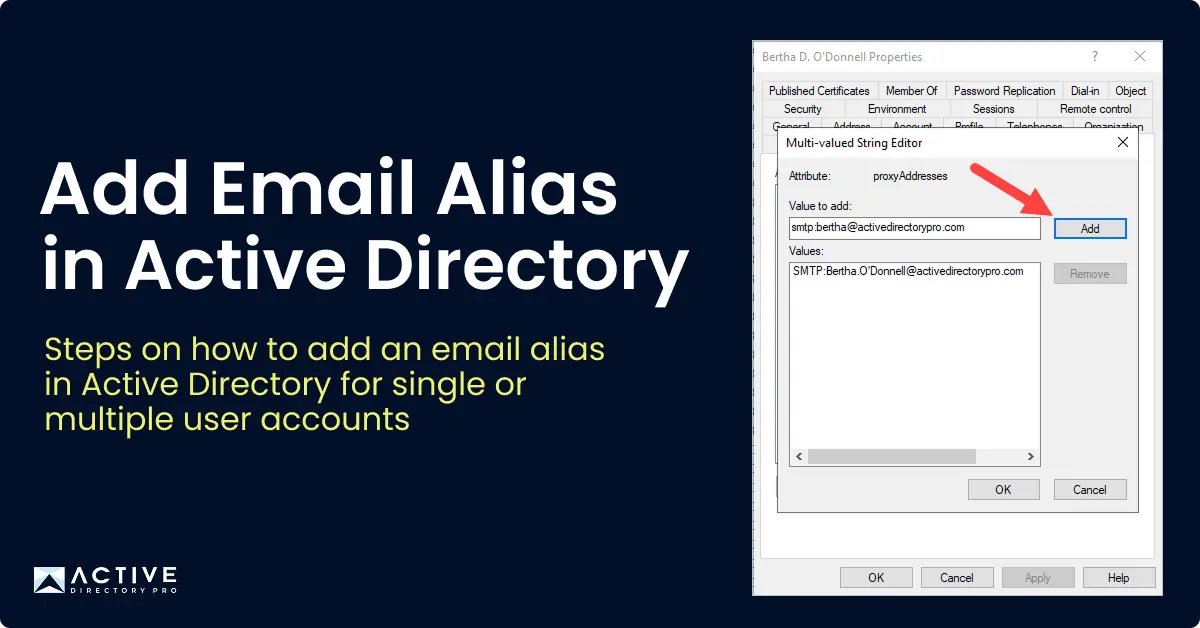
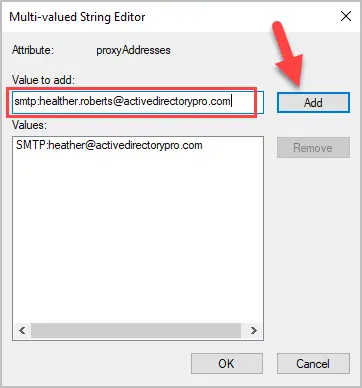
Step 4. in the value to add box enter the new address and click “Add”. The address must start with smtp: (example, smtp:name@yourdomain.com)
Primary vs Alias:
- The primary email address uses uppercase SMTP: (example, SMTP:name@yourdomain.com)
- Secondary email address use lowercase smtp: (example, smtp:name2@yourdomain.com)
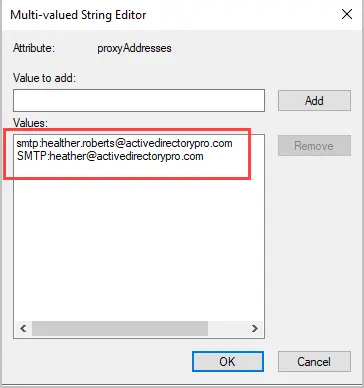
After clicking add the email alias should be listed in the values box.
Step 6. Click “Ok” to complete the changes
Add Email Alias to Multiple Users
If you want to add an email alias to multiple users, you need to use PowerShell or 3rd party tools like the AD Pro Toolkit.
In this example, I’ll use the AD Pro Toolkit.
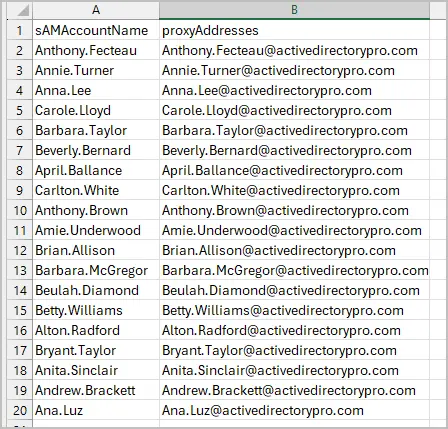
Step 1. Create a CSV file.
The CSV needs two columns
- sAMAccountName = the users logon name
- proxyAddresses = alias address to add
Tip: You can use the included AD Export Tool to get a list of users logon names.
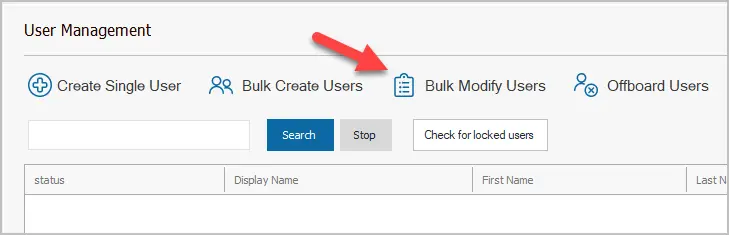
Step 2. Run Bulk Modify Users Tool
Click on “Bulk Modify Users”
Select your CSV file and click “Run”.
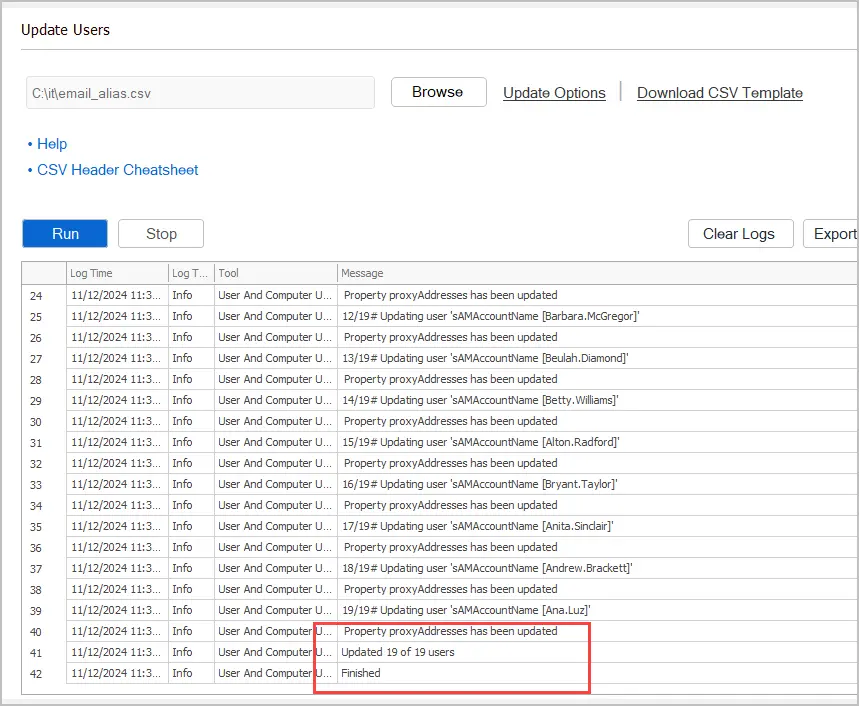
I just added an email alias to 19 users and in total it took about 2 minutes to complete. Using the AD Pro Toolkit is a huge time saver when needing to make bulk changes to Active Directory user accounts.
Download AD Pro Toolkit and see how easy it is to bulk add email alias to user accounts.
Add Email alias using PowerShell
You can add an email alias with PowerShell you would use the Set-ADuser cmdlet.
Set-ADUser robert.allen -add @{ProxyAddresses="smtp:robert.allen.activedirectorypro.com"}
In the above example, I added the email alias robert.allen@activedirectorypro.com to the user account “robert.allen”.
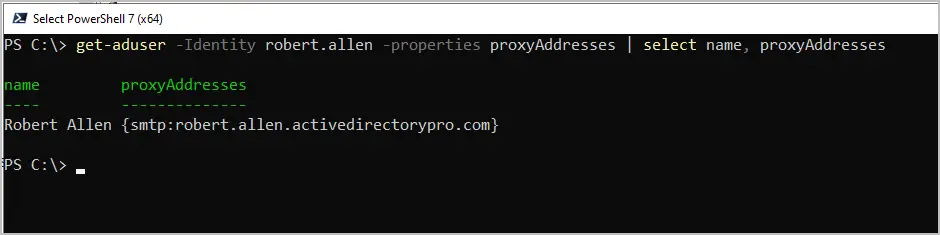
To get the email alias with PowerShell use the below command.
get-aduser -Identity robert.allen -properties proxyAddresses | select name, proxyAddresses
Common use of Email Aliases
- Name change: A user married, and their last name has changed.
- Company merger: A company is merging with another company, so everyone needs a new address but also needs to keep their existing address.
- Business operations: Companies can use email aliases to create professional contacts such as info, support, sales and so on. Instead of creating a separate mailbox for these contacts you can just add the alias to an existing user account.
- Temporary usage: An email alias can be used for temporary reasons such as a project or a onetime event. When the project is completed the email alias can be removed.