
AD Audit Pro
Active Directory Auditing and Real-Time Monitoring
Complete visibility into every change, logon and permission across Active Directory and Microsoft 365, with real-time alerts and pre-built compliance reports.
Download Free Trial Book a demo
Trusted by 5,000+ organizations worldwide.
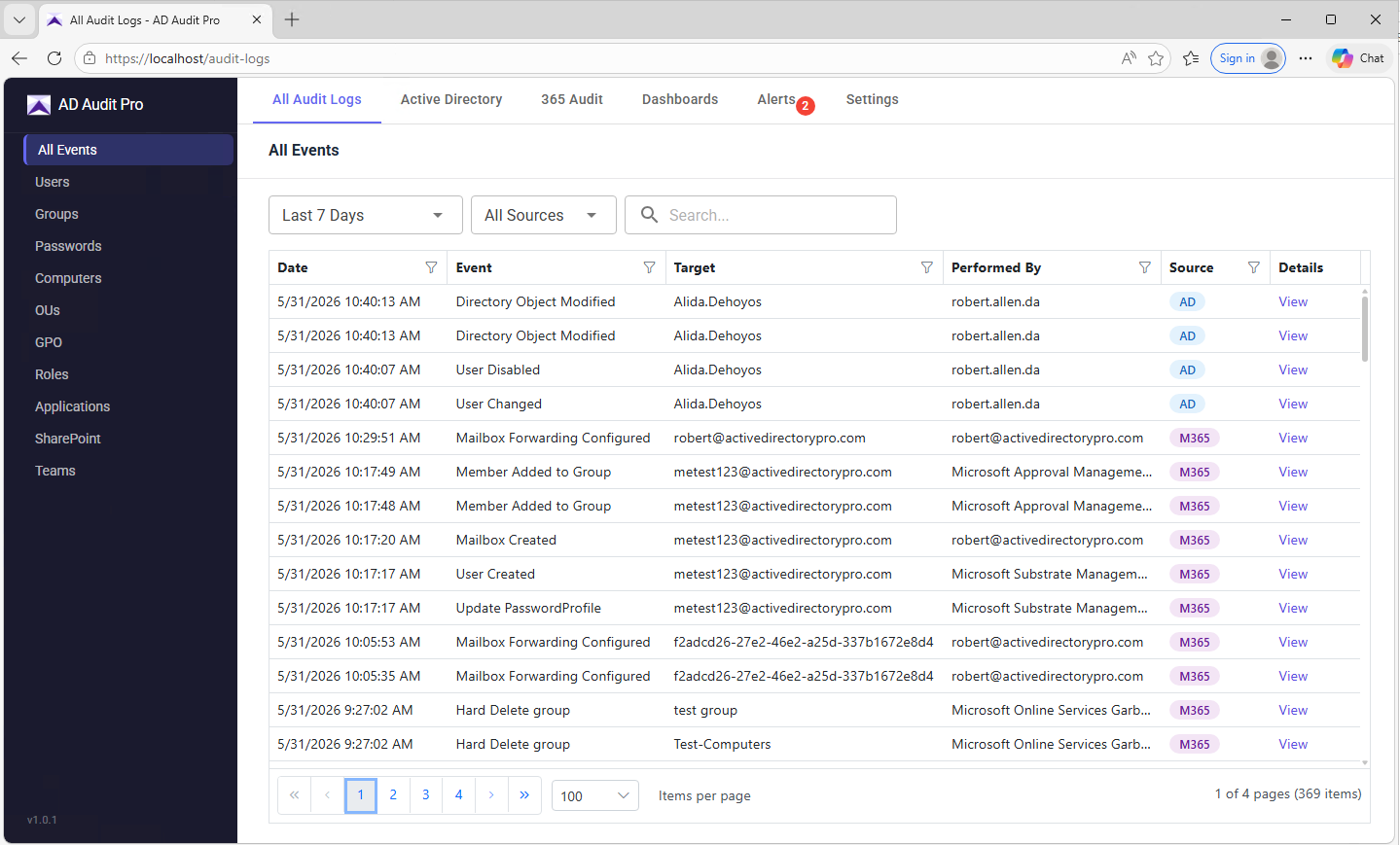
Comprehensive Auditing for Active Directory and Microsoft 365
From on-premises Active Directory to Microsoft 365, every event that matters for security and compliance.
AD change auditing
Every change to users, groups, computers, OUs and GPOs, including who made it, when, and the before-and-after values.
Logon auditing
Every login across Active Directory and Microsoft 365, including failed attempts and lockouts, so brute-force patterns show up early.
Password auditing
Password changes, resets, and successful and failed attempts. Know who changed a password and when attempts repeat.
365 and Entra ID auditing
Sign-ins, admin actions and configuration changes across Microsoft 365 and Entra ID, including Exchange Online, SharePoint and OneDrive.
Exchange and SharePoint auditing
Mailbox access, email activity, permission changes and document actions across Exchange Online and SharePoint.
Real-time alerts
Instant alerts on privileged group changes, suspicious logons, account lockouts and unauthorized permission changes.
GCC High and DoD support
Connects to Microsoft 365 GCC High and DoD tenants as well as commercial, for agencies and contractors required to use them.
Change auditing
Active Directory change auditing
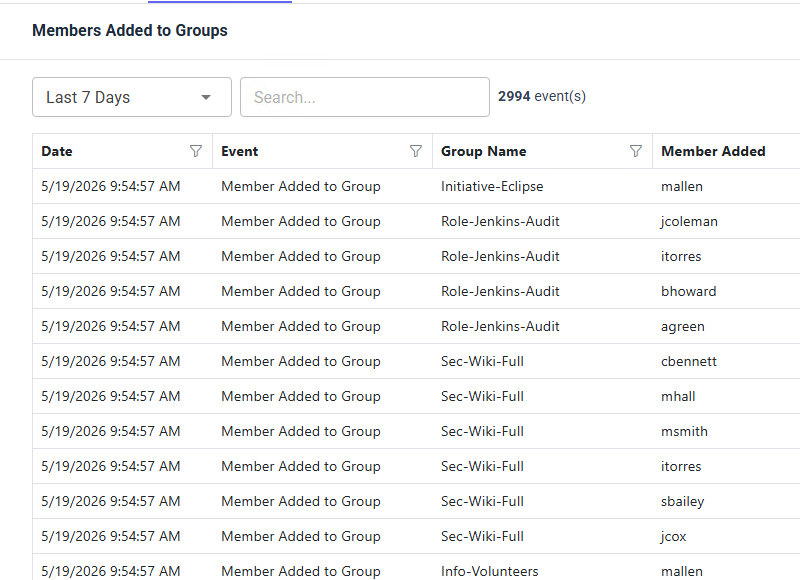
Native event logs scatter the data across every domain controller, with cryptic event IDs and no before-and-after context. AD Audit Pro consolidates every change into one searchable timeline, so who changed this, when, and what it looked like before takes seconds rather than hours.
- Track changes to users, groups, computers, OUs and GPOs
- See who made each change, when, and from where
- Compare before-and-after values for every modified attribute
- Monitor group membership changes
Logon auditing
AD and Microsoft 365 logon auditing
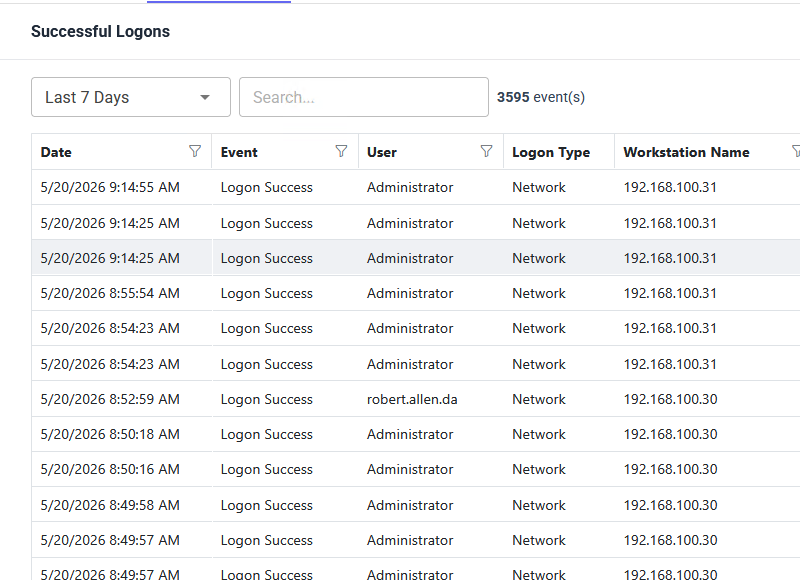
Logon data lives in Windows Security logs spread across every domain controller and workstation, with no easy way to correlate one account across them. AD Audit Pro pulls every logon event into one view, so you can trace a full session history and find the source of a lockout.
- Successful and failed logons across all domain controllers
- Account lockouts with the source machine that triggered them
- Logon history for workstations
- Interactive, remote desktop and network logon sessions
Passwords and lockouts
Track password changes, resets and lockouts
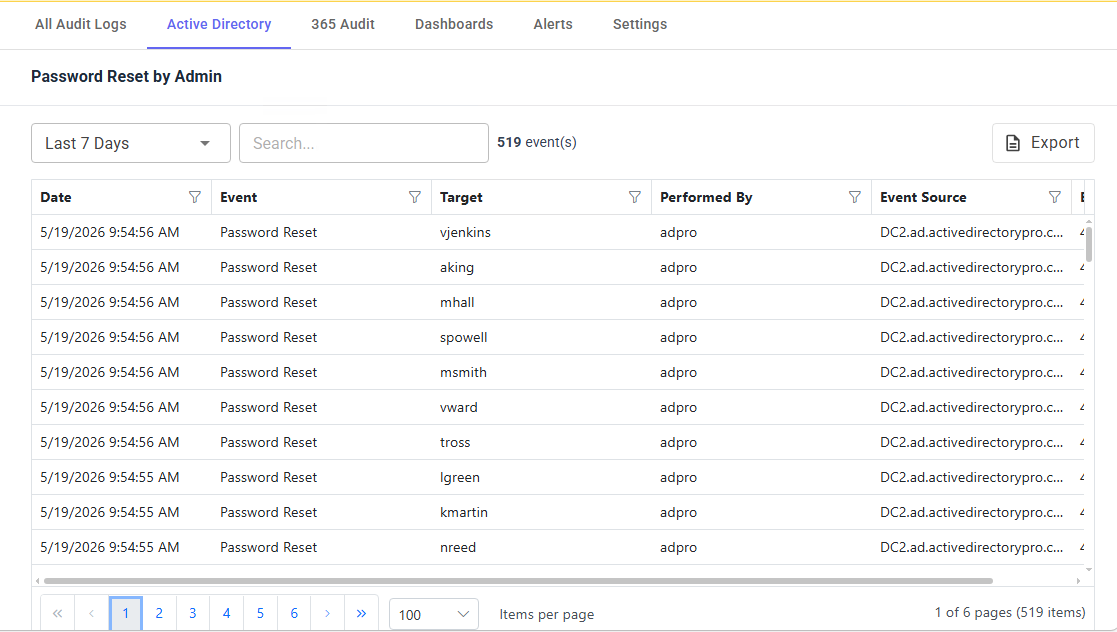
Password tickets are the bulk of help desk volume and the hardest to investigate after the fact. See exactly who reset a password, whether it was self-service or admin-initiated, and which workstation triggered a lockout.
- Password changes and resets, with who initiated them and when
- Failed password change attempts
- Alerts on brute-force password change attempts
- Password summary reports
Group Policy
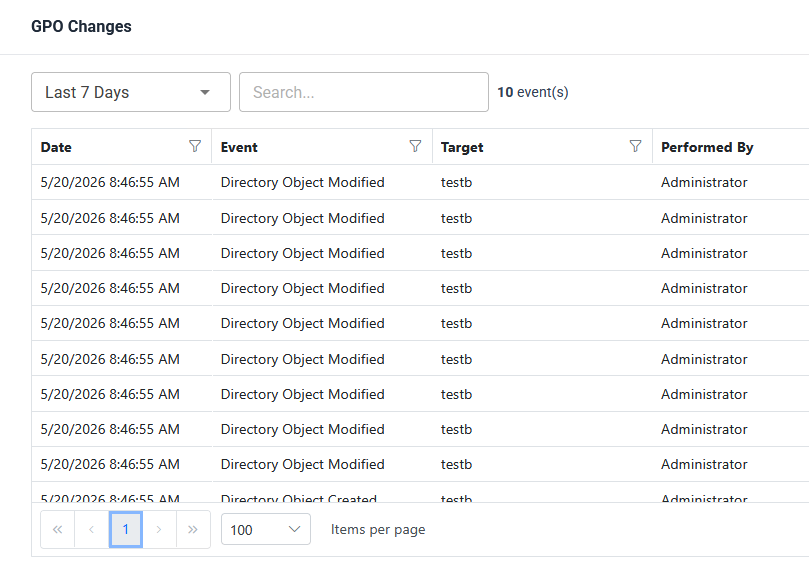
Group Policy change auditing
One wrong GPO edit can lock out hundreds of users or open a gap across the whole domain. Every Group Policy change is recorded as it happens, so you know which GPO was modified and by who.
- GPO creation, deletion and setting-level changes
- Link, unlink and enforcement updates across sites, domains and OUs
- Permission changes on every Group Policy object
Microsoft 365 and Entra ID
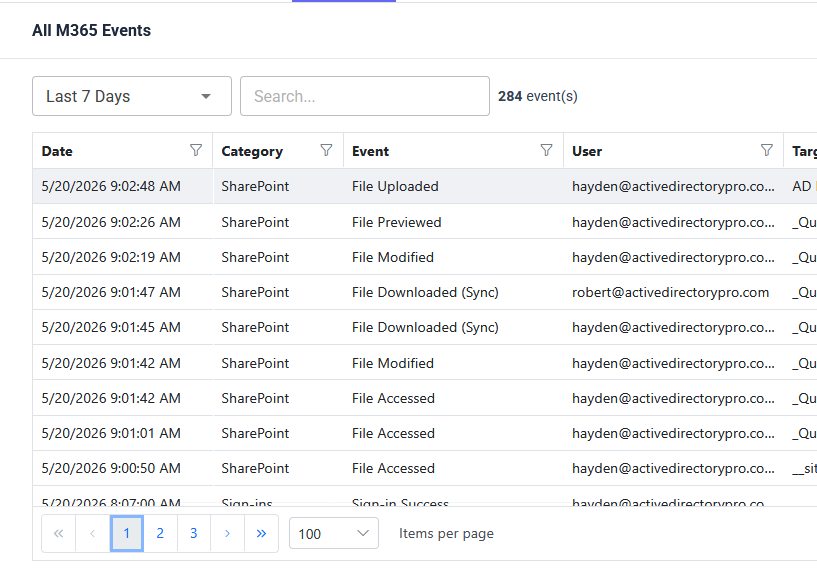
Microsoft 365 and Entra ID activity auditing
Most AD auditing tools stop at the domain edge, leaving Microsoft 365 and Entra ID activity in a separate console. Cloud and on-premises auditing land in one timeline, so you can follow an account from its morning sign-in through every action it takes in the cloud.
- Monitor Entra user creation, changes and deletions
- Track group changes in Entra ID and Exchange
- SharePoint permissions and mailbox changes
Alerting
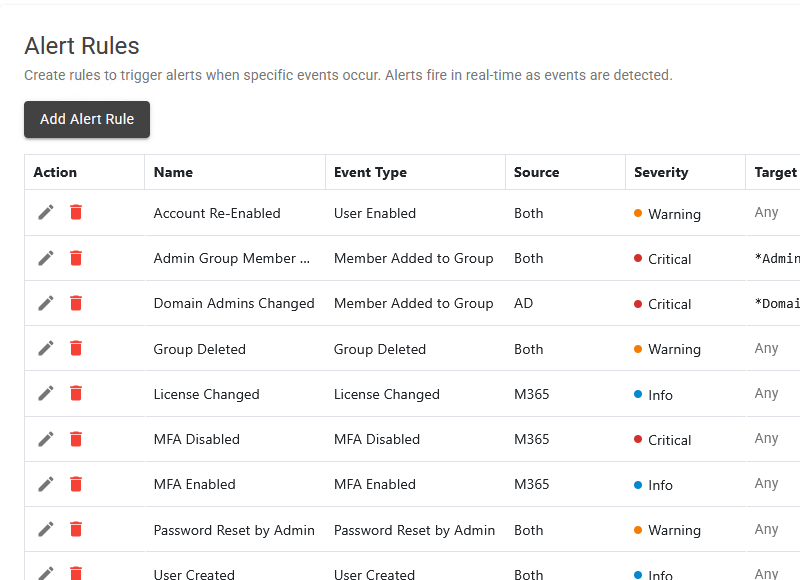
Real-time alerts for critical events
Catching a problem hours later is often too late. Alerts go out the moment a critical event happens, so you can respond to a privileged group change, a suspicious logon or an unauthorized permission shift while it is still in progress.
- Pre-built alerts for the most common security and compliance events
- Create your own alerts on any audited event
- Delivered by email the moment the event happens
AD Audit Pro vs native event logs
The same audit data, without the log diving and the correlation work.
| Feature | AD Audit Pro | Event Viewer | PowerShell |
|---|---|---|---|
| All DCs in one view | Yes | No | Scripting required |
| Before-and-after attribute values | Yes | No | No |
| Plain English event descriptions | Yes | Raw event IDs | Raw event IDs |
| Account lockout source machine | Yes | Manual correlation | Scripting required |
| Microsoft 365 and Entra ID auditing | Yes | No | Separate modules |
| Real-time email alerts | Yes | No | Task Scheduler plus scripts |
| Pre-built compliance reports | Yes | No | No |
| Long-term log retention | Yes | Logs overwrite | Manual archive |
| Search and filter across all events | Yes | Per log only | Scripting required |
| Export to CSV, Excel or PDF | Yes | Limited | Scripting required |
| Setup time | Two minutes | Varies | Hours of scripting |
Frequently asked questions
Do I need to install agents on my domain controllers?
No. AD Audit Pro collects events from your domain controllers remotely. Install it once on a workstation or server on the domain.
Does it audit Microsoft 365 and Entra ID as well as on-premises AD?
Yes. Sign-ins, admin actions and configuration changes across Microsoft 365, Entra ID, Exchange Online, SharePoint and OneDrive appear in the same timeline as your on-premises Active Directory events.
How far back can I search?
Audit data is stored in the AD Audit Pro database, so your history is not lost when Windows event logs roll over. Retention is yours to configure.
Can I get alerted when a critical change happens?
Yes. Pre-built alerts cover the most common security and compliance events, and you can create your own on any audited event. Alerts are delivered by email as the event happens.
What are the system requirements?
Windows 10 or 11, or Windows Server 2012, 2016, 2019, 2022 or 2025, plus the .NET 4.8 runtime or higher.
Does AD Audit Pro send my data to the cloud?
No. It runs entirely on your own network and stores audit data in your own database. Nothing is sent to a third-party cloud.
Stop digging through event logs
Try AD Audit Pro free for real-time Active Directory and Microsoft 365 auditing. Installs in about two minutes on your own network.