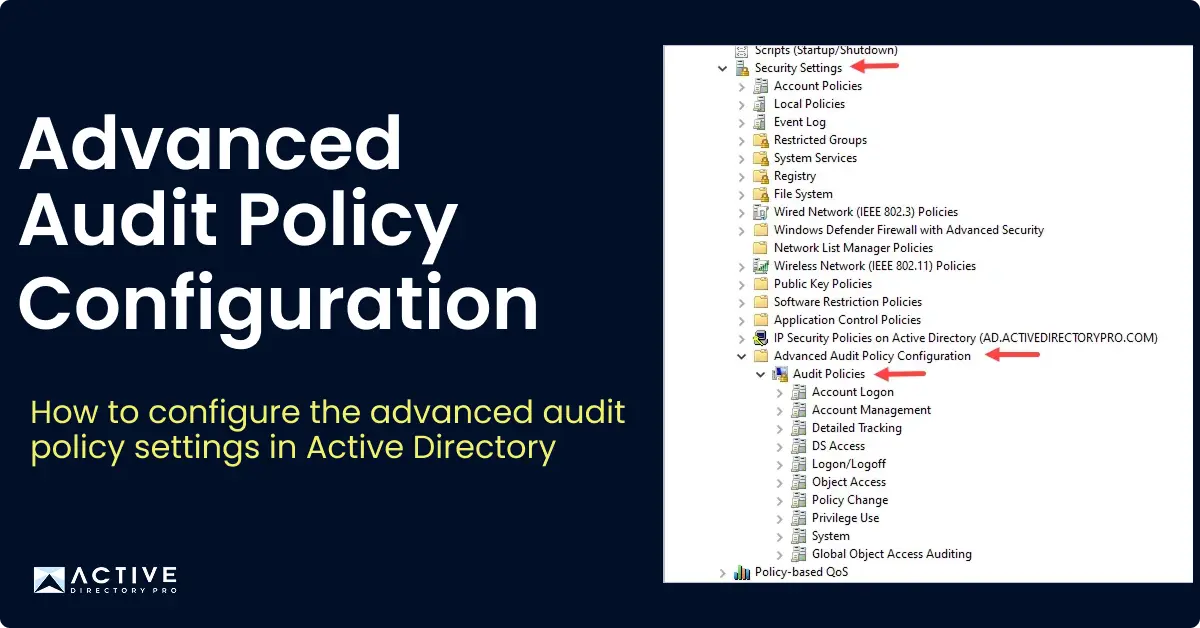
The advanced audit policy allows granular control over the auditing settings for Active Directory. These settings will allow you to monitor and track changes in Active Directory such as user activities, group membership changes, group policy changes and so on.
In this guide, I walk through how to configure the Advanced Audit Policy settings in Active Directory.
Step to Configure Advanced Audit Policy
Step 1. Open Group Policy Management Console
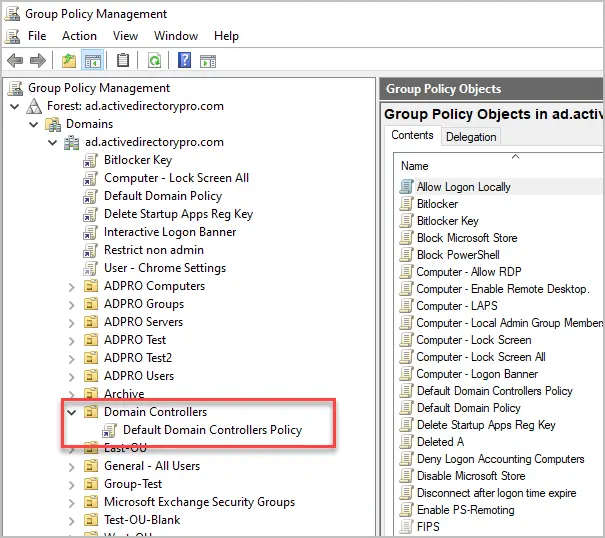
Step 2. Browse to the Domain Controller OU by expanding the Forest and Domains container. Right click and select edit on the Default Domain Controllers Policy. Optionally you can create a new GPO instead of modifying the default one.
Step 3. Under Computer Configuration, click Policies > Windows Settings > Security Settings > Advanced Audit Policy Configuration > Audit Policy
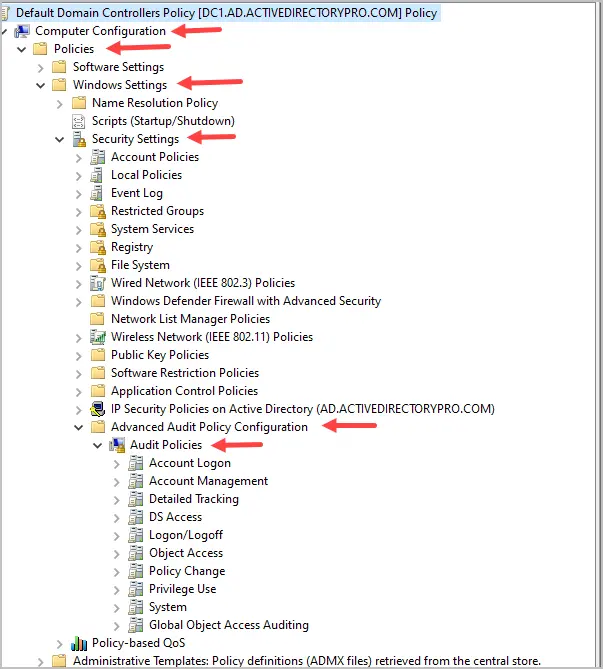
Step 5. Configure the audit policies based on your requirements. See the recommended settings below.
Recommended Advanced Audit Policy Settings
The below audit policy settings are based on the Windows server 2022 security baseline. These settings and more are available in the Microsoft Security Compliance Toolkit.
| Policy Path | Policy Settings Name | Audit Event Settings |
|---|---|---|
| Account Logon | Audit Credential Validation | Failure |
| Account Logon | Audit Kerberos Authentication Service | Success and Failure |
| Account Logon | Audit Kerberos Service Ticket Operations | Failure |
| Account Logon | Audit Other Account Logon Events | |
| Account Management | Audit Application Group Management | |
| Account Management | Audit Computer Account Management | Success |
| Account Management | Audit Distribution Group Management | |
| Account Management | Audit Other Account Management Events | Success |
| Account Management | Audit Security Group Management | Success |
| Account Management | Audit User Account Management | Success and Failure |
| Detailed Tracking | Audit DPAPI Activity | |
| Detailed Tracking | Audit PNP Activity | Success |
| Detailed Tracking | Audit Process Creation | Success |
| Detailed Tracking | Audit Process Termination | |
| Detailed Tracking | Audit RPC Events | |
| Detailed Tracking | Audit Token Right Adjusted | |
| DS Access | Audit Detailed Directory Service Replication | |
| DS Access | Audit Directory Service Access | Failure |
| DS Access | Audit Directory Service Changes | Success |
| DS Access | Audit Directory Service Replication | |
| Global Object Access Auditing | File system | |
| Global Object Access Auditing | Registry | |
| Logon/Logoff | Audit Access Right | |
| Logon/Logoff | Audit Account Lockout | Failure |
| Logon/Logoff | Group Membership | Success |
| Logon/Logoff | IPsec Extended Mode | |
| Logon/Logoff | IPsec Main Mode | |
| Logon/Logoff | IPsec Quick Mode | |
| Logon/Logoff | Audit Logoff | |
| Logon/Logoff | Audit Logon | Success and Failure |
| Logon/Logoff | Audit Network Policy Server | |
| Logon/Logoff | Audit Other Logon/Logoff Events | Success and Failure |
| Logon/Logoff | Special Logon | Success |
| Logon/Logoff | Audit User / Device Claims | |
| Object Access | Audit Application Generated | |
| Object Access | Audit Central Access Policy Staging | |
| Object Access | Audit Certification Services | |
| Object Access | Audit Detailed File Share | Failure |
| Object Access | Audit File Share | Success and Failure |
| Object Access | Audit File System | |
| Object Access | Audit Filtering Platform Connection | |
| Object Access | Audit Filtering Platform Packet Drop | |
| Object Access | Audit Handle Manipulation | |
| Object Access | Audit Kernel Object | |
| Object Access | Audit Other Object Access Events | Success and Failure |
| Object Access | Audit Registry | |
| Object Access | Audit Removable Storage | Success and Failure |
| Object Access | Audit SAM | |
| Policy Change | Audit Audit Policy Change | Success |
| Policy Change | Audit Authentication Policy Change | Success |
| Policy Change | Audit Authorization Policy Change | |
| Policy Change | Audit Filtering Platform Policy Change | |
| Policy Change | Audit MPSSVC Rule-Level Policy Change | Success and Failure |
| Policy Change | Audit Other Policy Change Events | Failure |
| Privilege Use | Audit Non-Sensitive Privilege Use | |
| Privilege Use | Audit Other Privilege Use Events | |
| Privilege Use | Audit Sensitive Privilege Use | Success and Failure |
| System | Audit IPsec Driver | |
| System | Audit Other System Events | Success and Failure |
| System | Audit Securty State Change | Success |
| System | Audit Security System Extension | Success |
| System | Audit System Integrity | Success and Failure |
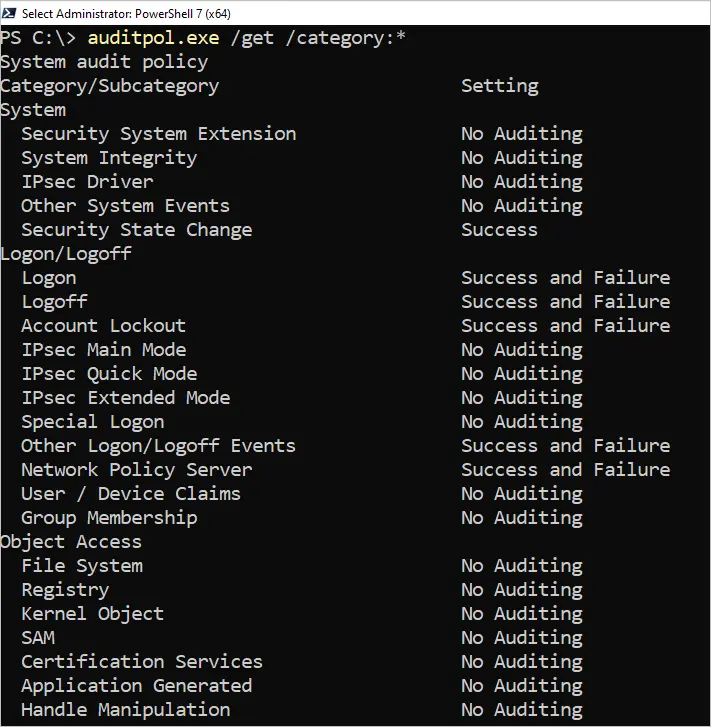
Verify Audit Policy Settings
You can quickly check your audit policy settings with the below command.
auditpol.exe /get /category:*