In this guide, I’ll show you how to get all email addresses from Active Directory. I’ll also show you how to get specific email addresses and export the list to csv.
Video Tutorial
Get Email Addresses using Get-ADUser PowerShell command
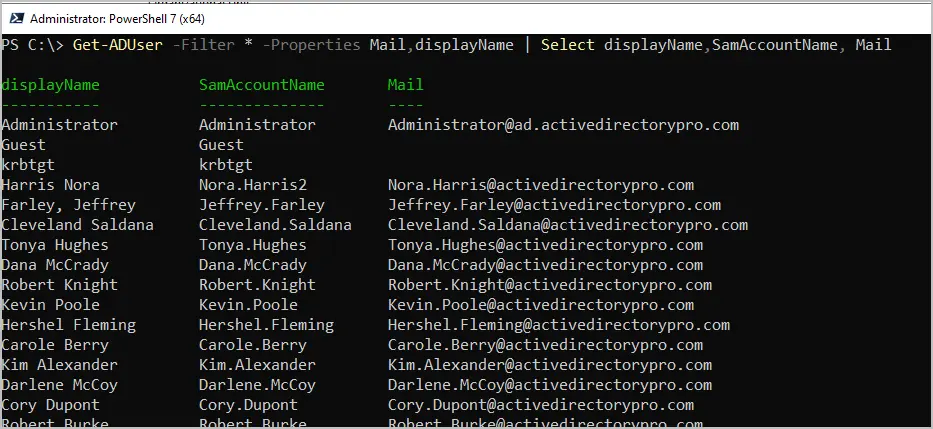
The users email address is stored in the mail attribute. You can get the mail attribute value for each user with the command below.
Get-ADUser -Filter * -Properties Mail,displayName | Select displayName,SamAccountName, Mail
Export all Email Addresses from Active Directory
To export all email addresses from Active Directory, use the command below. Change -path to a folder on your computer.
Get-ADUser -Filter * -Properties Mail,displayName | Select displayName,SamAccountName, Mail | export-csv -path c:\it\allemail.csv
Get Email Address for Enabled Users
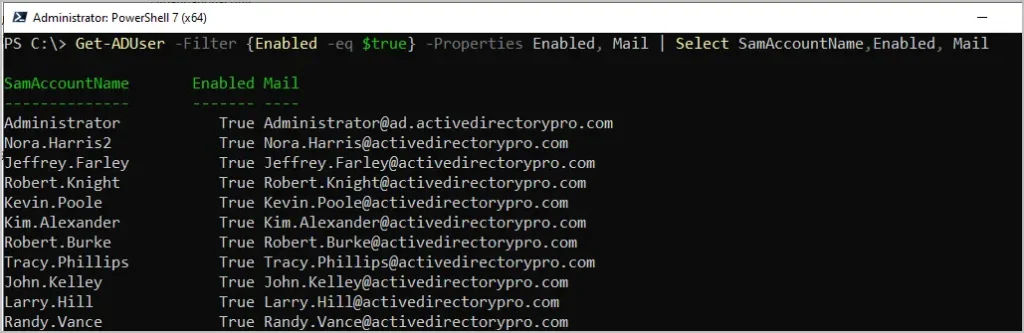
To get the email address for only enabled user accounts use the below command.
Get-ADUser -Filter {Enabled -eq $true} -Properties Enabled, Mail | Select SamAccountName,Enabled, Mail
Get Email Address for a Specific User
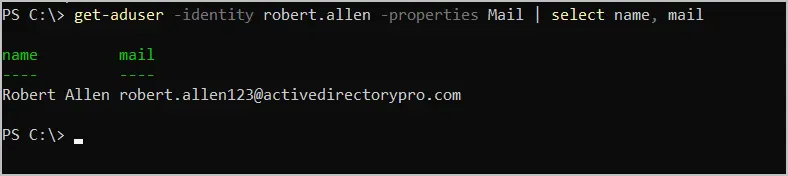
In this example, I get the email address for user “robert.allen”.
get-aduser -identity robert.allen -properties Mail | select name, mail
Find an Email Address in Active Directory
Do you need to find out who an email address belongs to? With PowerShell you can add a simple filter that will search for a specific email address.
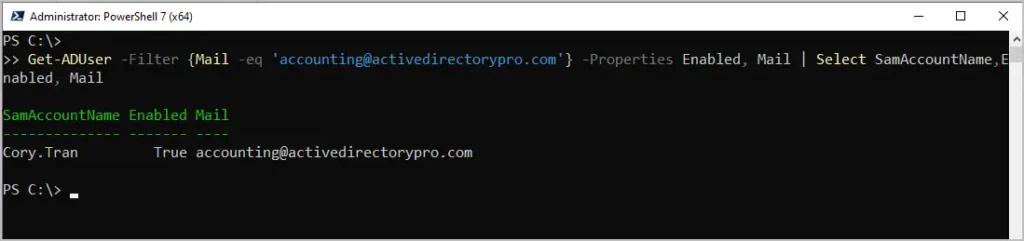
In the below example, I use the -eq operator (equals) to find which account the accounting@activedirectorypro.com is configured on.
Get-ADUser -Filter {Mail -eq 'accounting@activedirectorypro.com'} -Properties Enabled, Mail | Select SamAccountName,Enabled, Mail
Easily Get All Email Addresses using the AD Toolkit
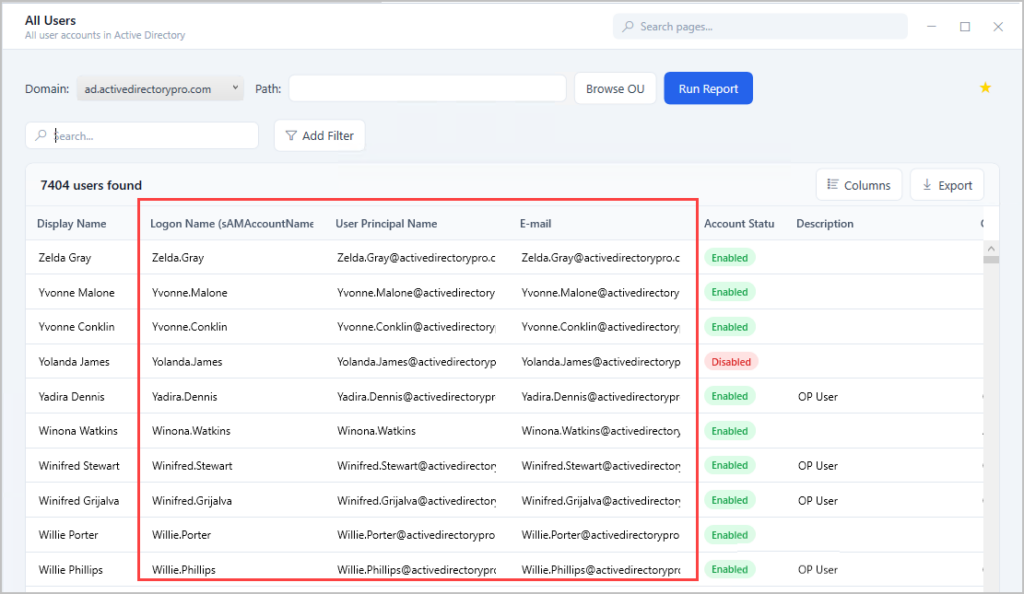
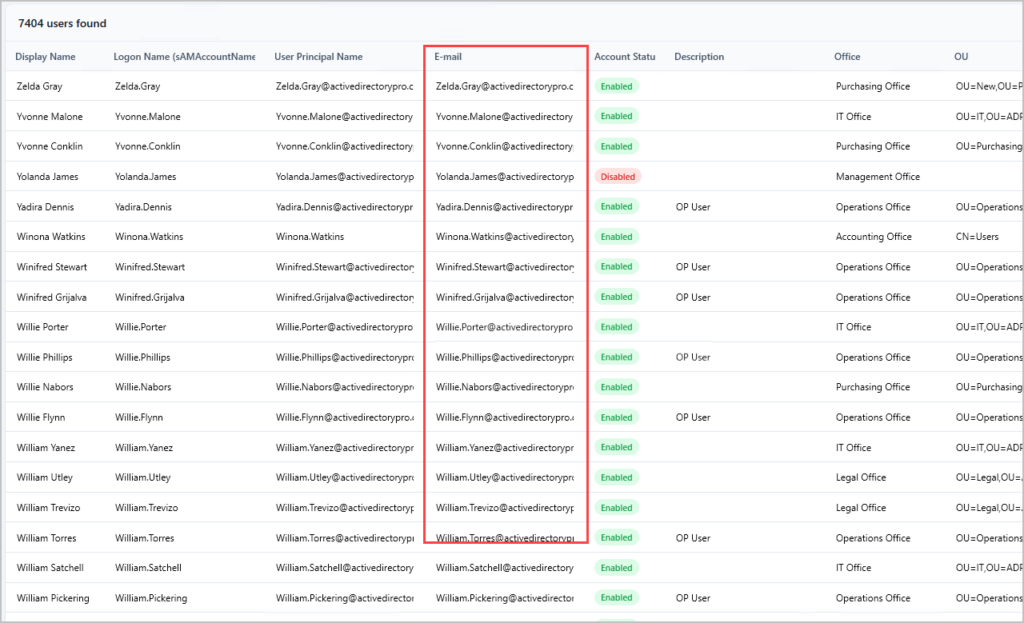
In this example, I’ll use the AD Pro Toolkit to get all email addresses and additional user details.
Step 1. Open the All Users Report
Step 2. Click Run to get all users email addresses
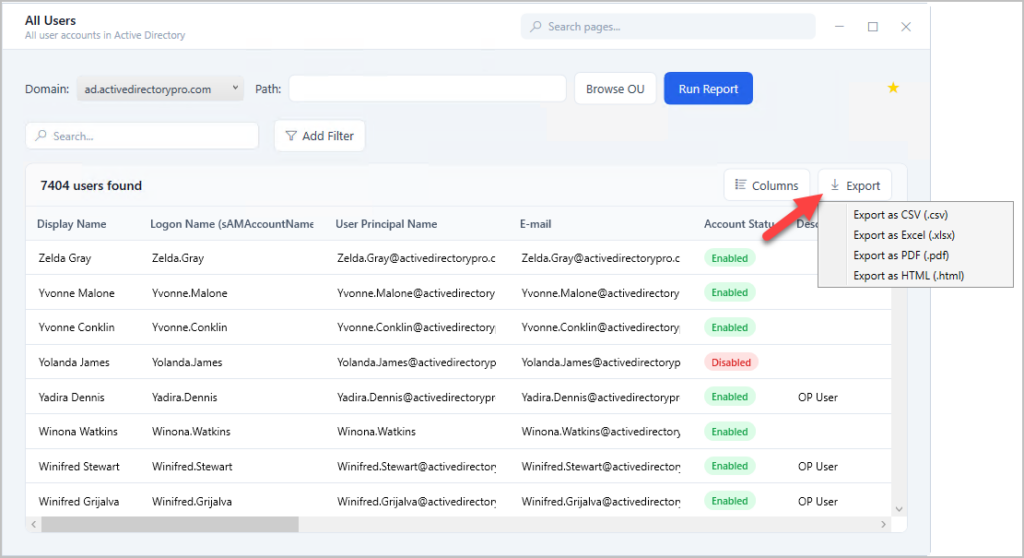
Step 3. Export users and email addresses
Click the export button to export the email address report.
You can try this tool for free, Download AD Pro Toolkit.
Find Email Address from Username
To get an email address from a username follow these steps.
- Open the AD Pro Toolkit
- Run the All Users report (ensure the mail attribute is enabled)
- Click the search icon, enter the email address and click fund
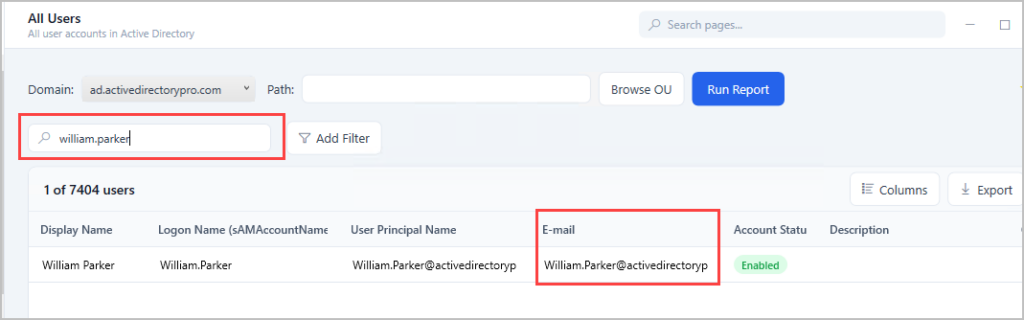
You can export a list of all users email address and their username by using the same report.