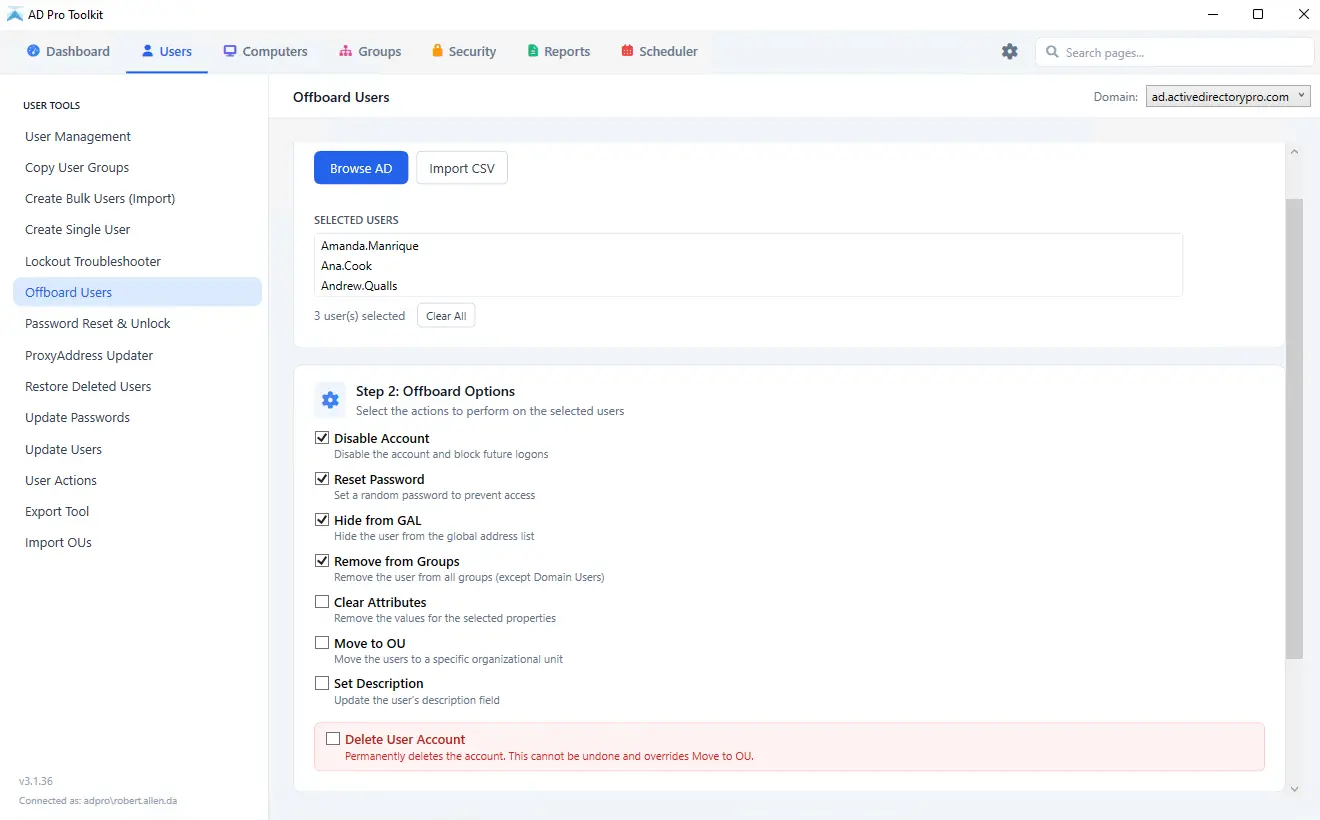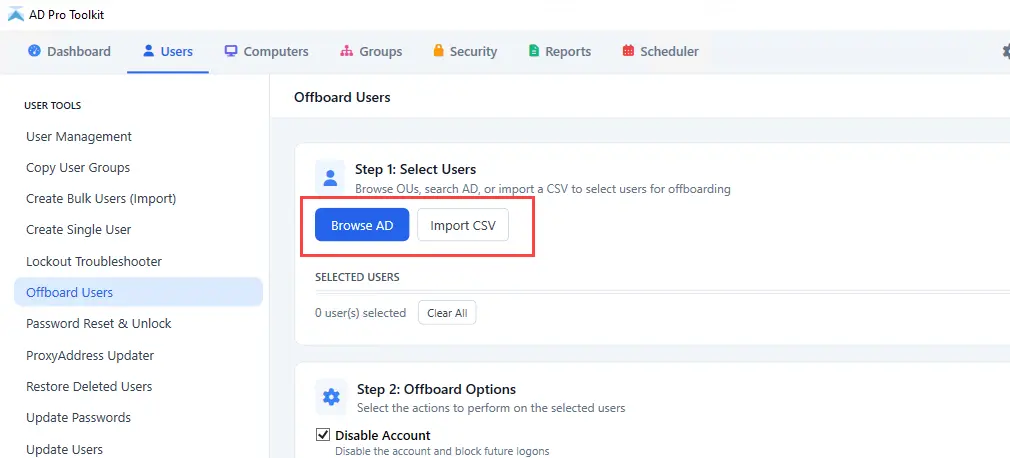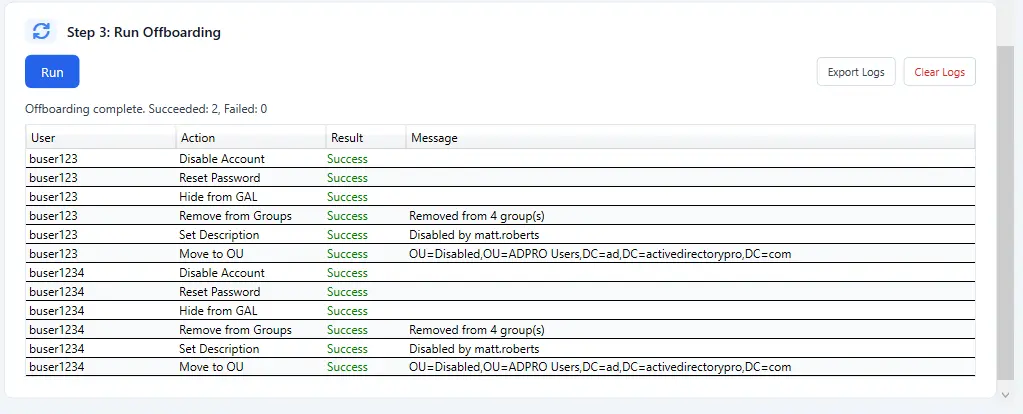
Active Directory Offboarding Tool

Streamline the process of disabling and removing Active Directory user account permissions. Disable, Hide from GAL, remove from groups, move to an OU and more.

Download Free Trial Schedule Demo

Save Time and Ensure Compliance

User offboarding provides several benefits to organizations, such as ensuring accounts
are disabled, permissions removed, and streamline operations.

Disable Accounts

Disable user accounts to block future logons and access to the network. Disabling accounts is a key step in the offboarding process for Active Directory (AD) users, ensuring that departing employees no longer have access to organizational systems while preserving their data for auditing or transition needs.

Instead of immediately deleting an account, which can cause issues with file ownership, permissions, or compliance requirements, administrators typically disable the user account to prevent authentication and logins.

Hide from Global Address List (GAL)

Easily hide users from the GAL when offboarding accounts. Once an employee departs, you typically want to prevent their name from appearing in address lists, so coworkers don’t attempt to email an inactive mailbox.

Instead of deleting the mailbox immediately, which might be needed for compliance or data retention, administrators can mark the mailbox as “hidden from the GAL.” This keeps the mailbox intact for legal holds, forwarding rules, or data review while ensuring it no longer shows up in Outlook’s searchable directory.

Remove User from Groups

Easily remove access by removing users group membership. Removing users from groups is a critical part of the offboarding process, as group membership directly controls access to shared resources, applications, and sensitive data. When a user departs, IT teams typically revoke their group memberships to immediately eliminate access to file shares, distribution lists, security groups, and role-based permissions tied to Active Directory or cloud services

Clear User Attributes

Clearing attribute values is another important step in the offboarding process, ensuring that user-specific information in Active Directory or connected systems is properly sanitized once an employee departs. You can select the following attributes to clear:

  • Manager
  • Email
  • facsimileTelephoneNumber
  • Pager
  • telephoneNumber

Move Users to another OU

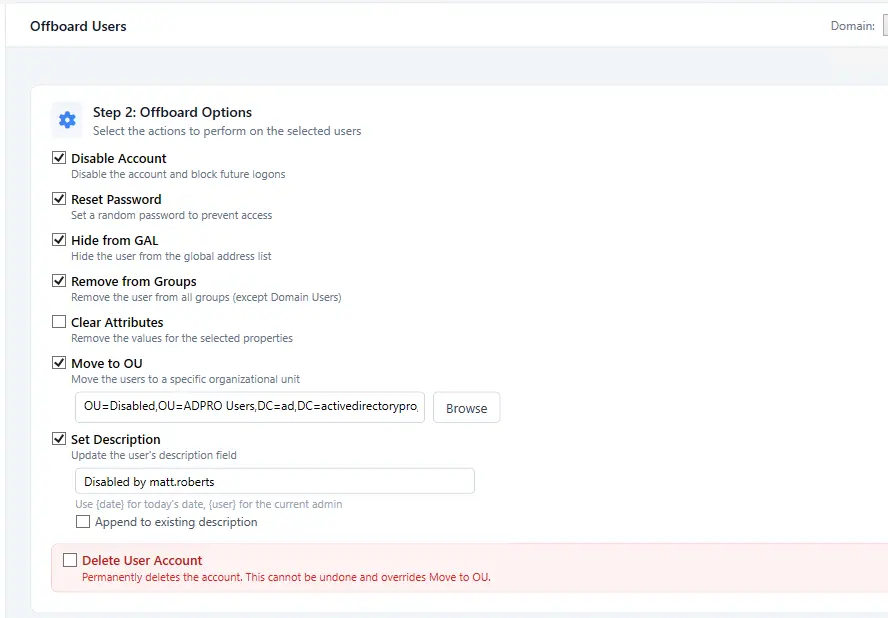
Moving users to another Organizational Unit (OU) is a common and effective step in the offboarding process, helping organizations maintain a clean and well-structured Active Directory environment.

When an employee leaves, their user account is often relocated from a production OU to a dedicated “Disabled Users” or “Offboarded” OU. It also helps IT teams easily identify inactive accounts for auditing, data retention, or eventual deletion

Update Users Description Field

Updating the description field is a helpful step in the offboarding process because it adds clarity and traceability for anyone reviewing the account later. The description attribute in Active Directory is often used to store notes such as the user’s termination date, reason for departure, ticket number, or who approved the offboarding. Adding this information ensures that administrators and auditors can quickly understand the account’s status without digging through logs or documentation.

Simplify User Offboarding
With AD Pro Toolkit

Download Free Trial Schedule Demo