Local Admin Rights Tool

Easily Find Users with Local Admin Rights

Download Free Trial Schedule Demo

Enhance Security and Ensure Compliance Requirements

Removing local admin rights reduces the risk of malware, ransomware and unauthorized changes
to the computer. It enforces the principle of least privilege to help ensure compliance with your organizations policies.

Find Local Admins on Remote Computers

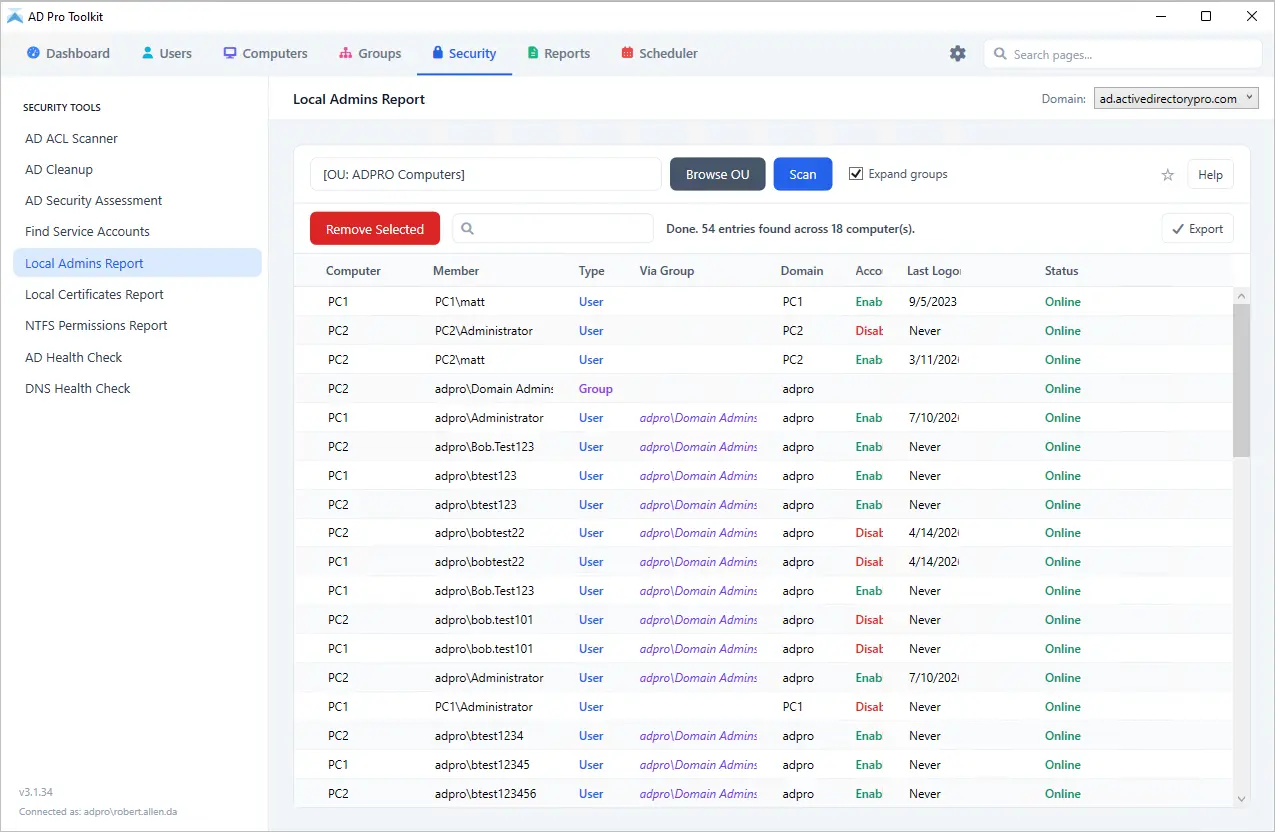
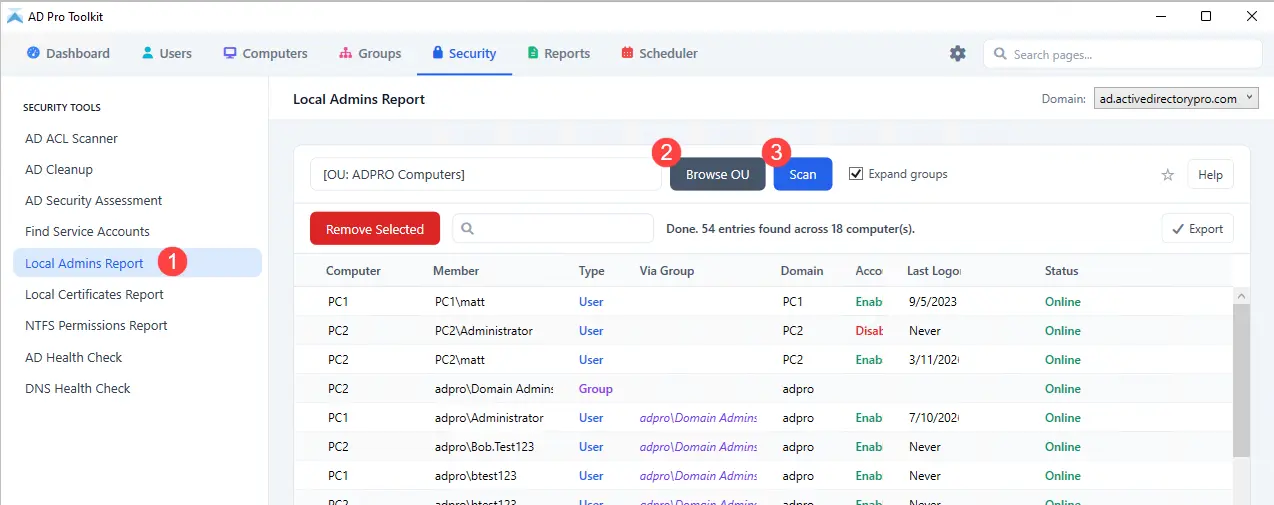
The AD Pro Toolkit enables you to scan multiple remote computers at once and automatically retrieve the members of each machine’s local Administrators group, giving you a clear view of where elevated privileges exist across your network. Because local admin rights pose significant security risks, such as enabling users to install software, modify system settings, or access sensitive data, having an accurate, up-to-date inventory is essential.

  • Scan all or selected domain joined computers
  • Show admin group members or all group members
  • List local, domain users and groups that are members of the local administrator group
Find Local Admins on Remote Computers
Remove Admin Rights

Remove Admin Rights

Removing local admin rights helps keep systems stable and prevents users or software from making changes that could introduce security or operational problems. When only approved administrators have elevated access, it becomes easier to manage configurations, reduce exposure to malware, and maintain consistency across devices. Tightening control over these permissions is a straightforward way to lower risk and keep day-to-day operations predictable and manageable.

  • Remove member – Remove selected accounts from the local administrator group
  • Delete Local user – Delete selected user accounts

Get All Local Group Members

By default, the toolkit only shows members of the administrator group. Selecting the “Show All Groups” option the toolkit will get members of all local groups including:

  • Users group
  • Remote Desktop Users
  • Guests
  • Backup Operators
  • Power Users
  • Event Log Readers
  • Hyper-v Administrators
  • and any other local group
Get All Local Group Members
Include Nested Groups

Include Nested Groups

Nested groups in the local Administrators group can make it harder to see who actually has elevated access on a system. Instead of users being added directly, they may gain admin rights through one or more groups linked to the local admin group, sometimes several layers deep. This can complicate audits, create hidden privilege paths, and make it easy to overlook accounts that shouldn’t have administrative rights.

By selecting the “Include Nested Groups” option the toolkit will show the members of the group giving you a direct list of users that have local admin rights.

Password Last Set and other Account Details

Want to check when the accounts changed their password, or their last logon date. By clicking on columns, you can view additional details about the accounts that have local admin rights.

  • Last Logon Date
  • Password Expired
  • Password Last Set
  • Password Expiration Date
  • Account Enabled
Password Last Set
Export List of Local Admins

Export List of Local Admins

Exporting a list of local administrators makes it easy to review, share, and track who has elevated access across your systems. By generating a list of local admins, you can quickly analyze the data, compare changes over time, and support audits or compliance checks. It also simplifies follow-up actions, like removing unapproved accounts or verifying group membership with other teams.

To export the report, click on “Export” and select your format.

Uncover Hidden Local Admins
Try the AD Pro Toolkit Today

Download Free Trial Schedule Demo