
Active Directory group management
Create groups, add or remove members in bulk, update group properties, and run full membership reports.
Included in AD Pro Toolkit, with 40+ tools in one console.
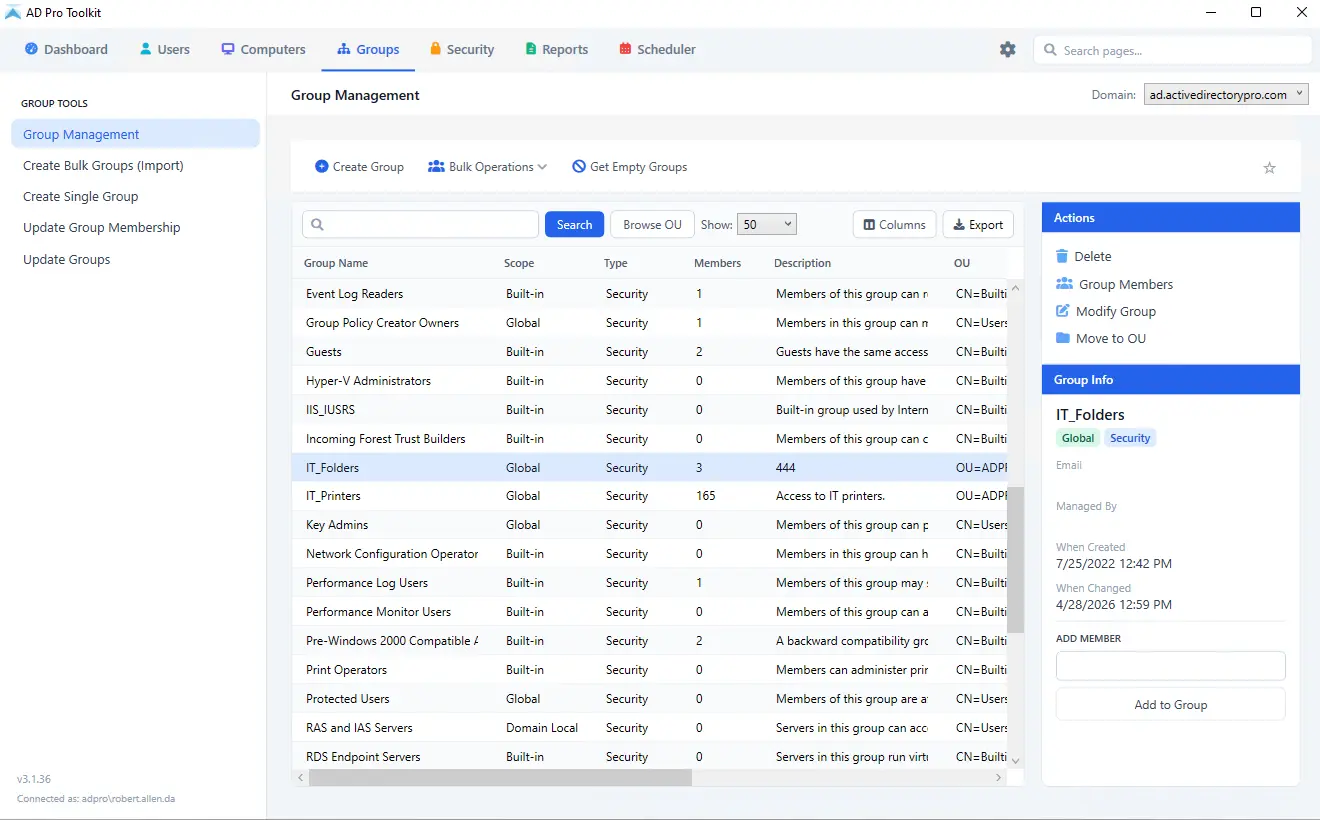
Group management without ADUC or scripts
Manage security and distribution groups from a single console, without writing PowerShell.
How it works
Each task, the steps to run it, and the screen it happens on.
-
01
Bulk membership updates
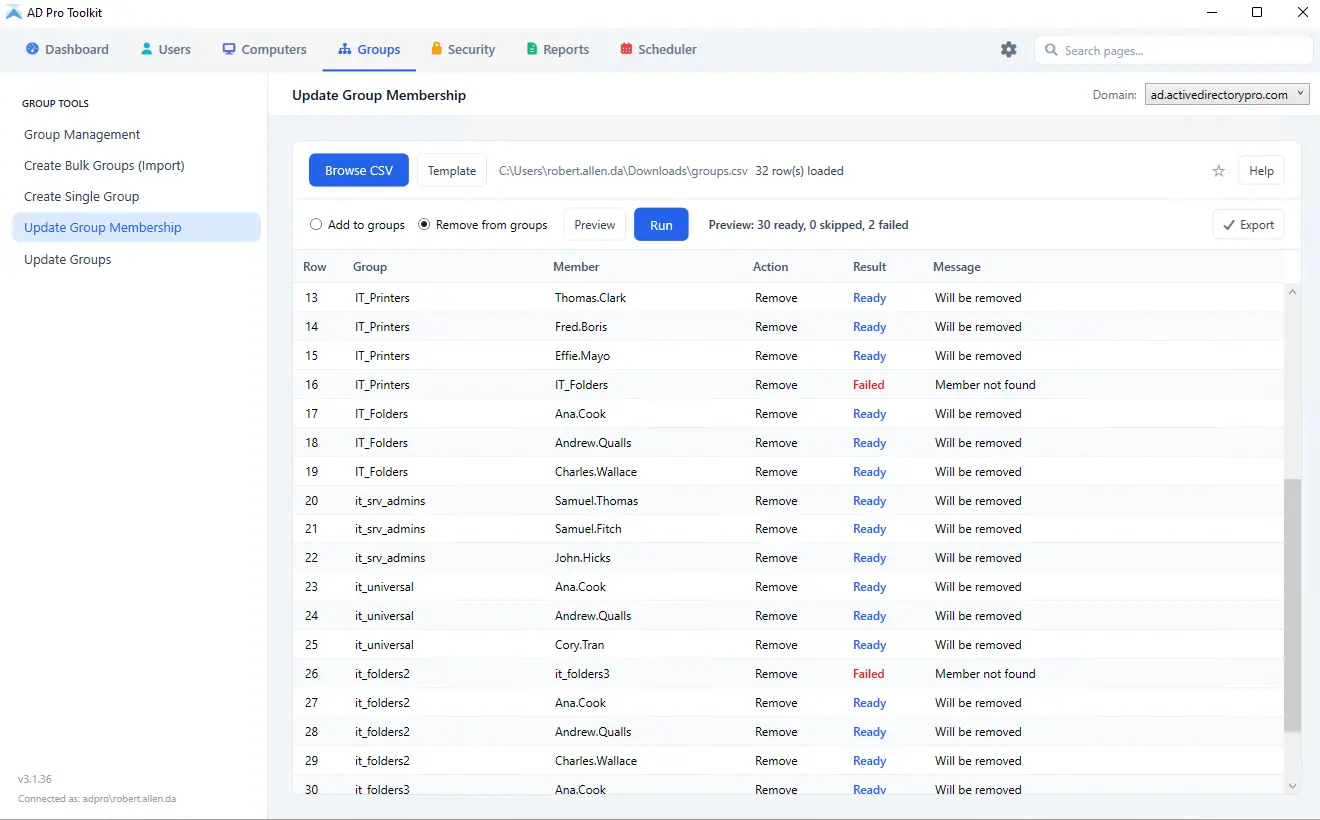
Adding or removing users from groups in ADUC is slow and tedious, and PowerShell scripts require exact syntax and are prone to errors. Select users individually or import a list from CSV to update membership across multiple groups at once. Go to Groups > Update Group Membership, select your CSV template, then preview and run.
-
02
Bulk update group properties
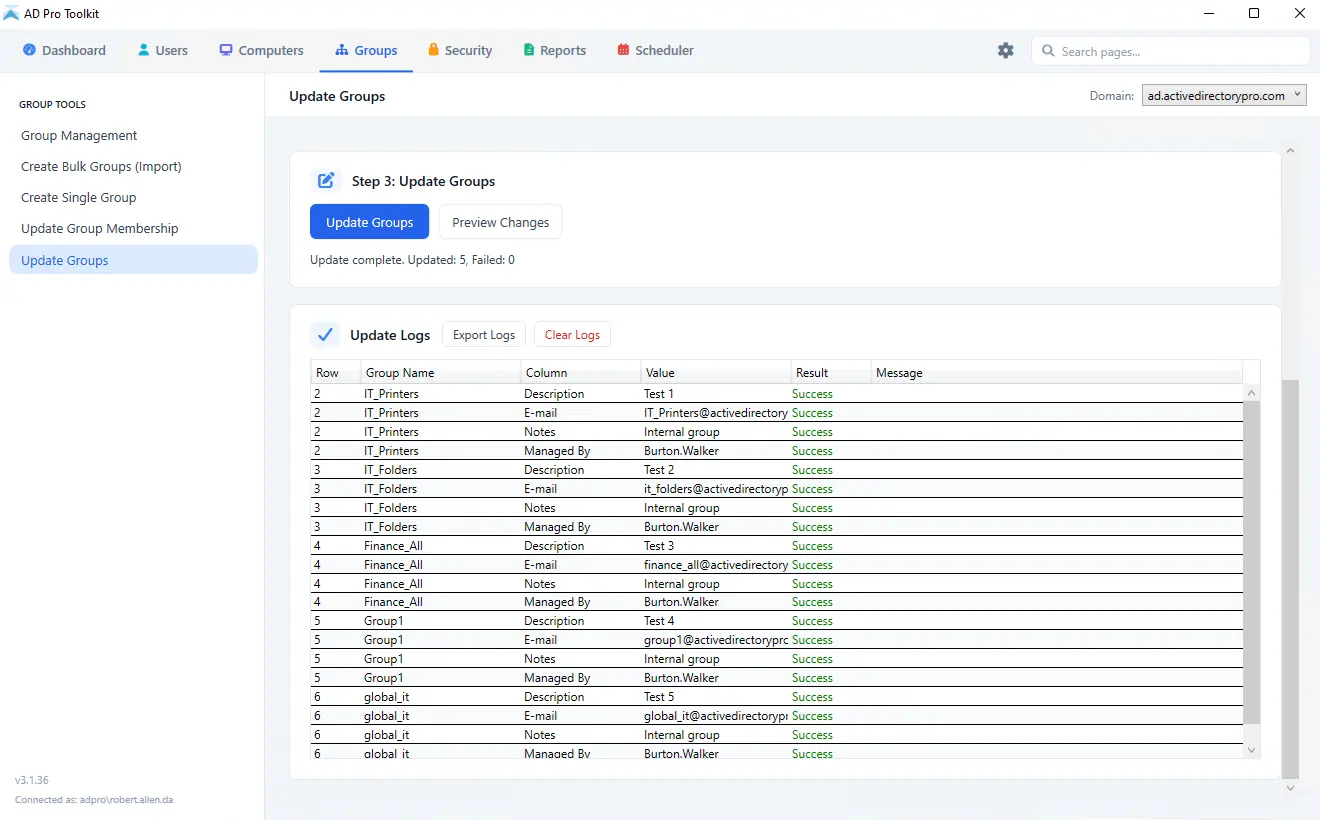
Update group attributes across hundreds of groups at once instead of opening each one in ADUC. Change the description, email address and managed by field, add or remove members, and move groups to another OU. Go to Groups > Update Groups, download the CSV and enter your group details, then select the file and run.
-
03
Group membership reports
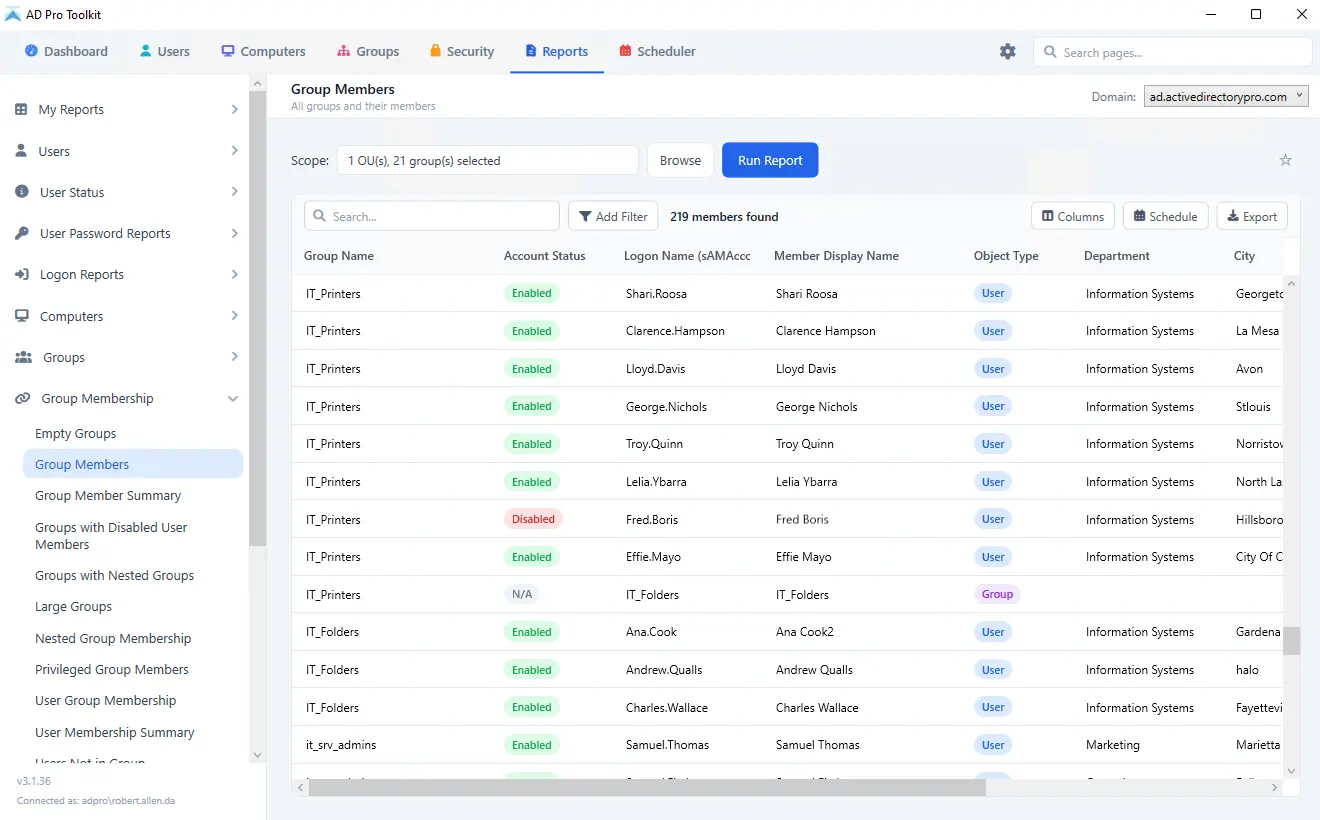
See which groups a user belongs to, or list every member of a group including nested membership. Reports export to CSV for auditing, compliance or documentation, and can be run on demand or scheduled to arrive by email. Go to Reports > Group Members, choose the groups to report on, then filter and export.
-
04
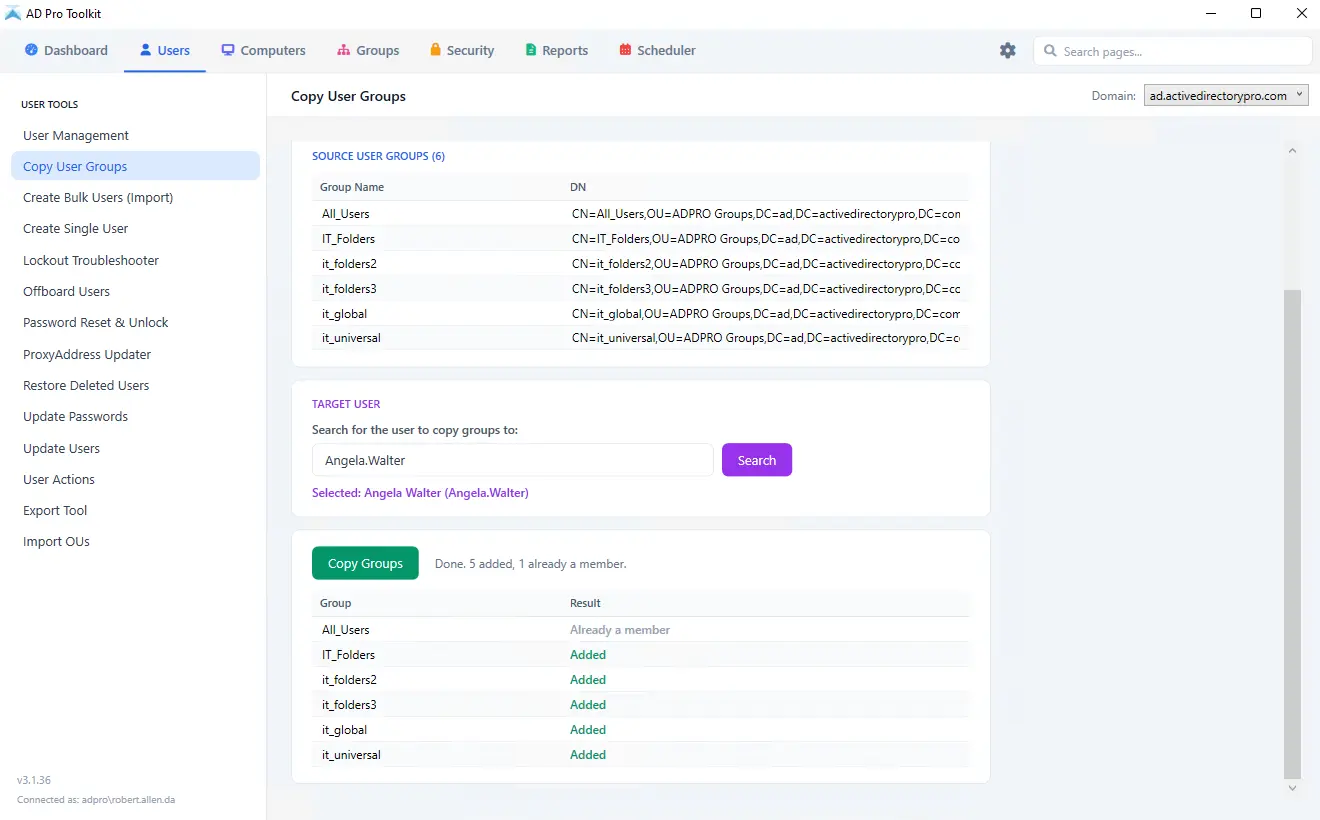
Copy user group membership
Copy every group membership from one user to another in a single click, which is what onboarding usually needs: the same access as an existing team member. Security and distribution groups both come across. Go to Users > Copy User Groups, select the source and destination user, then run.
-
05
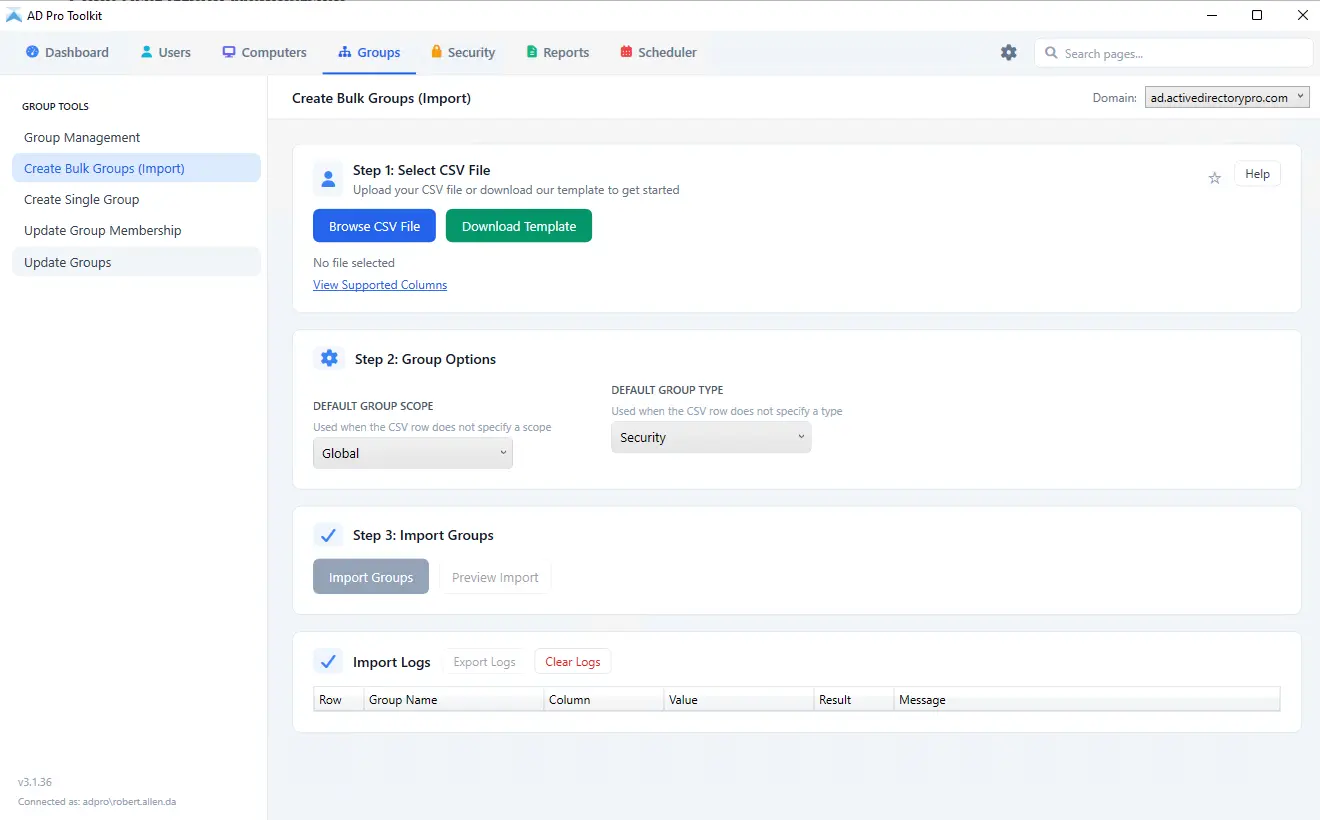
Bulk import groups
Create groups in bulk from the included CSV template, which covers Name, the distinguishedName of the OU they are created in, groupCategory, groupScope, description and mail. Go to Group Management > Create Groups, download the template, fill in your group details, then select it and run.
Stop editing groups one at a time
Try group management free as part of AD Pro Toolkit. Fifteen days, every tool unlocked.