AD Pro Toolkit / Users / Bulk User Management

Bulk User Management for Active Directory

Update, import, disable, and manage hundreds of Active Directory users at once from a single console, no PowerShell required.

Included in AD Pro Toolkit No PowerShell CSV import Preview before it runs
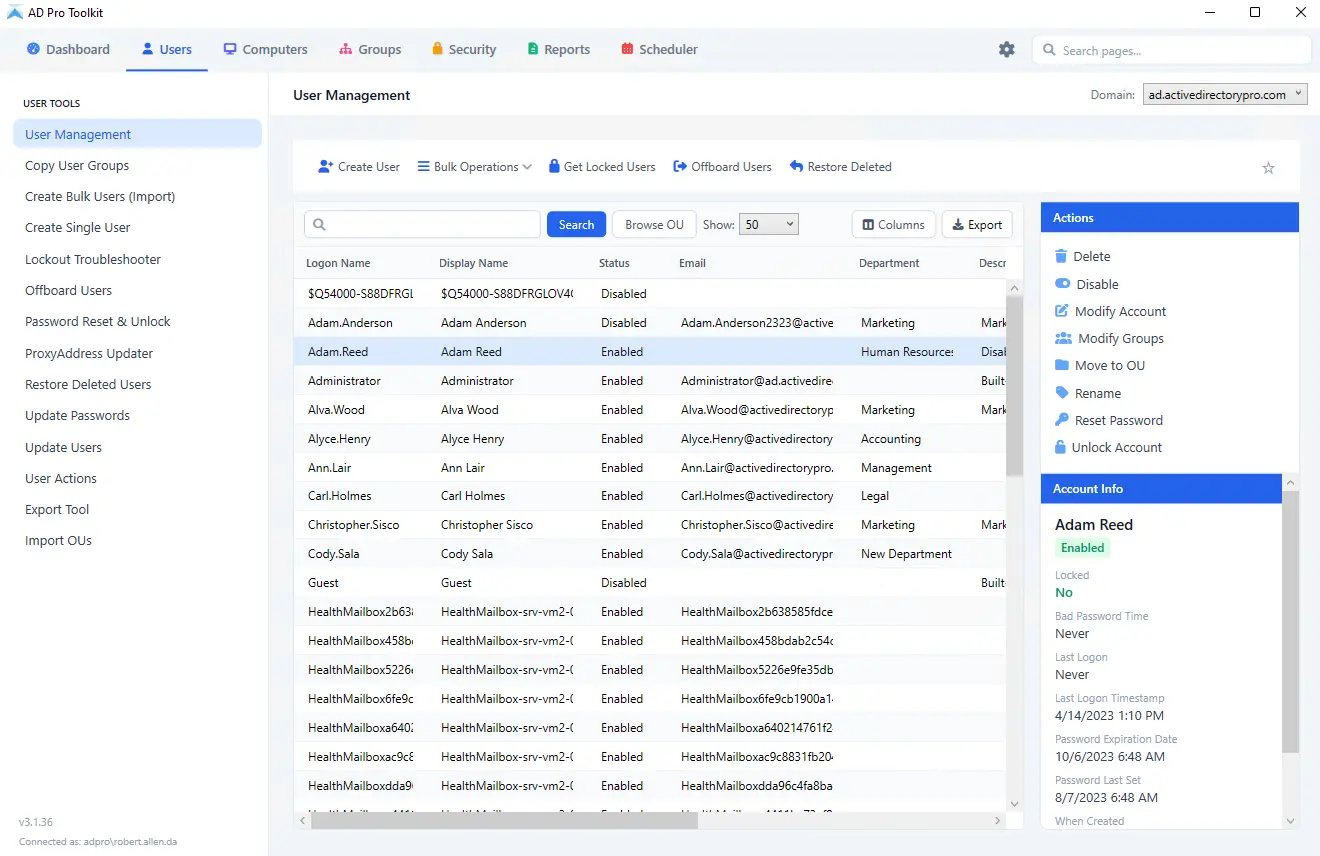
AD Pro Toolkit bulk user management console

What it does

Hundreds of Accounts, One Operation

The work that would otherwise be a CSV, a script, and an afternoon of clicking through ADUC.

  • Bulk attribute updates. Update department, job title, email, address, and contact fields across hundreds of accounts in a single operation.
  • Batch user creation. Build reusable templates and import new accounts from CSV, with automatic group membership and password generation.
  • Offboarding automation. Disable accounts, reset passwords, remove group memberships, and move users to a new OU all in one step.
  • Mass password reset. Reset passwords for selected or all users at once, with auto-generated or custom passwords and force change at next logon.
  • Group membership management. Import a CSV to add or remove many users across many groups at once, with no scripting required.
  • Move, disable, and more. Move users between OUs, set expiration dates, disable or delete accounts, and export user data in bulk.

How it works

Three of the jobs this gets used for, and the screen each one runs on.

Bulk Attribute Updates

Update department, job title, email, address, and contact fields across hundreds of accounts in a single operation. Select the users from the console or import the list from a CSV, then apply the change once instead of opening each account in ADUC.
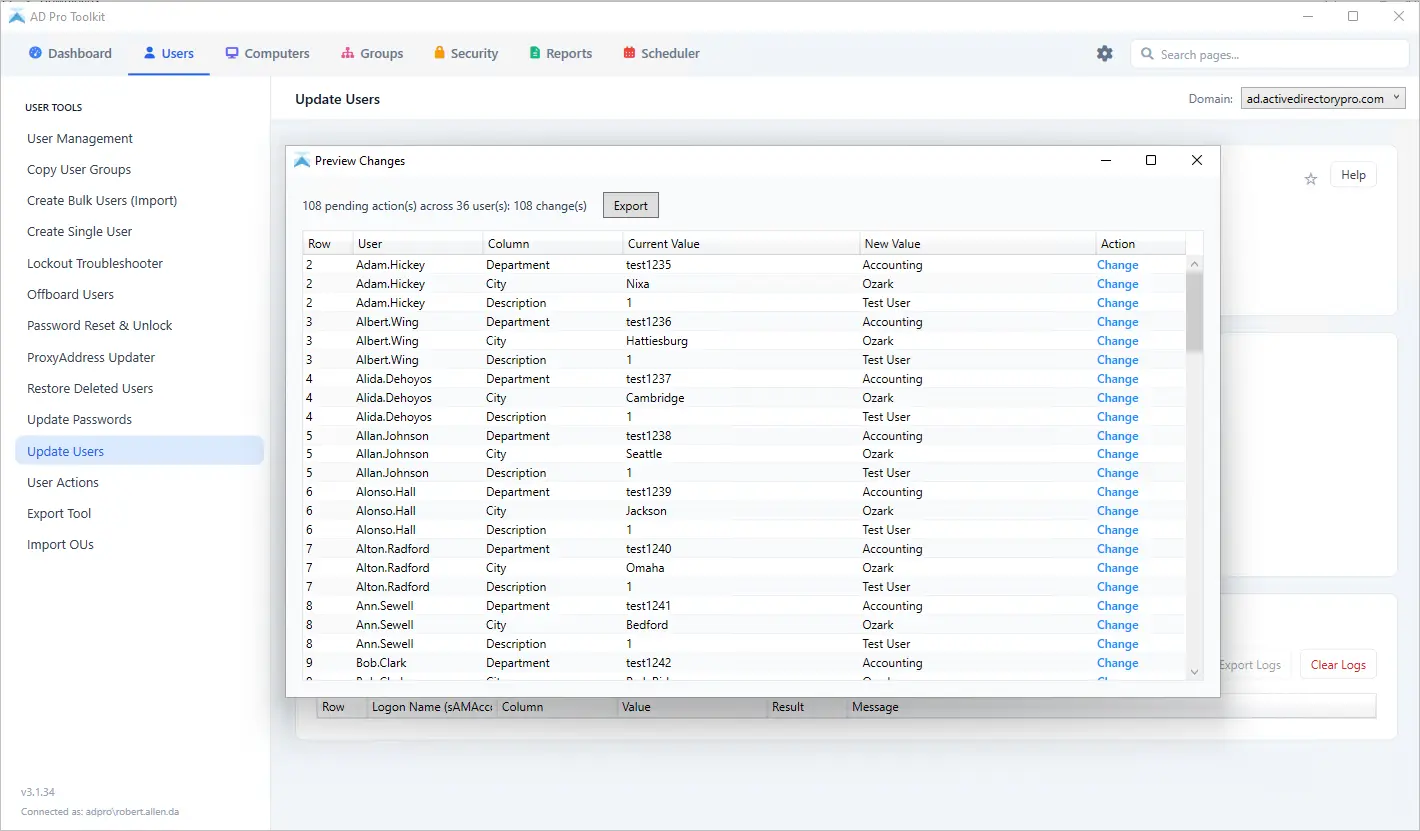
  1. Click on Users > Update Users
  2. Download the CSV template and enter the changes
  3. Select the CSV file and click run

Bulk ProxyAddress Updater

The proxyAddresses attribute holds every email alias an account answers to, and it is one of the fields most likely to be wrong after a domain change, a rebrand, or a migration. Add, update, or remove proxy addresses across many accounts from one CSV instead of editing the attribute account by account in ADUC or ADSI Edit.
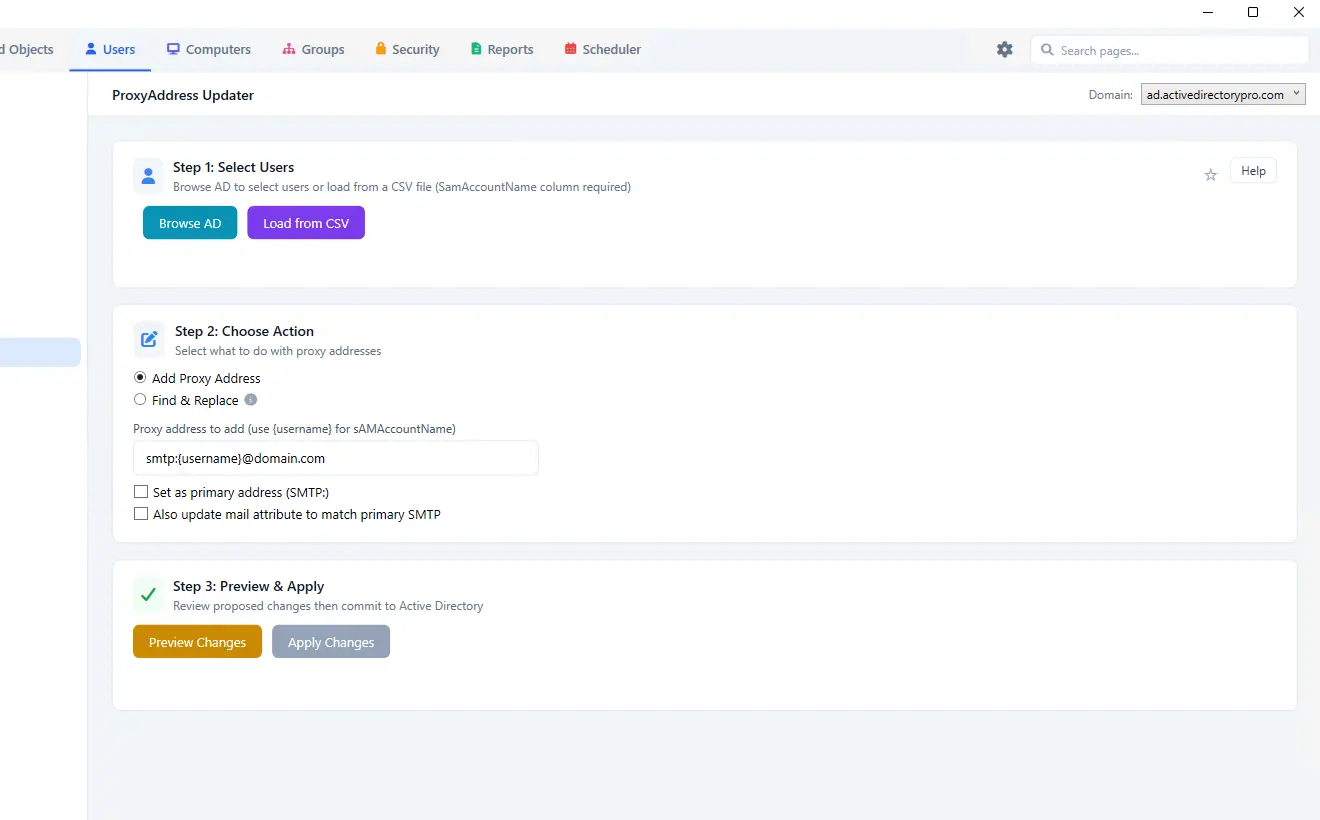
  1. Click on Users > ProxyAddress Updater
  2. Download the CSV template and enter the addresses
  3. Select the CSV file and click run

Bulk User Actions

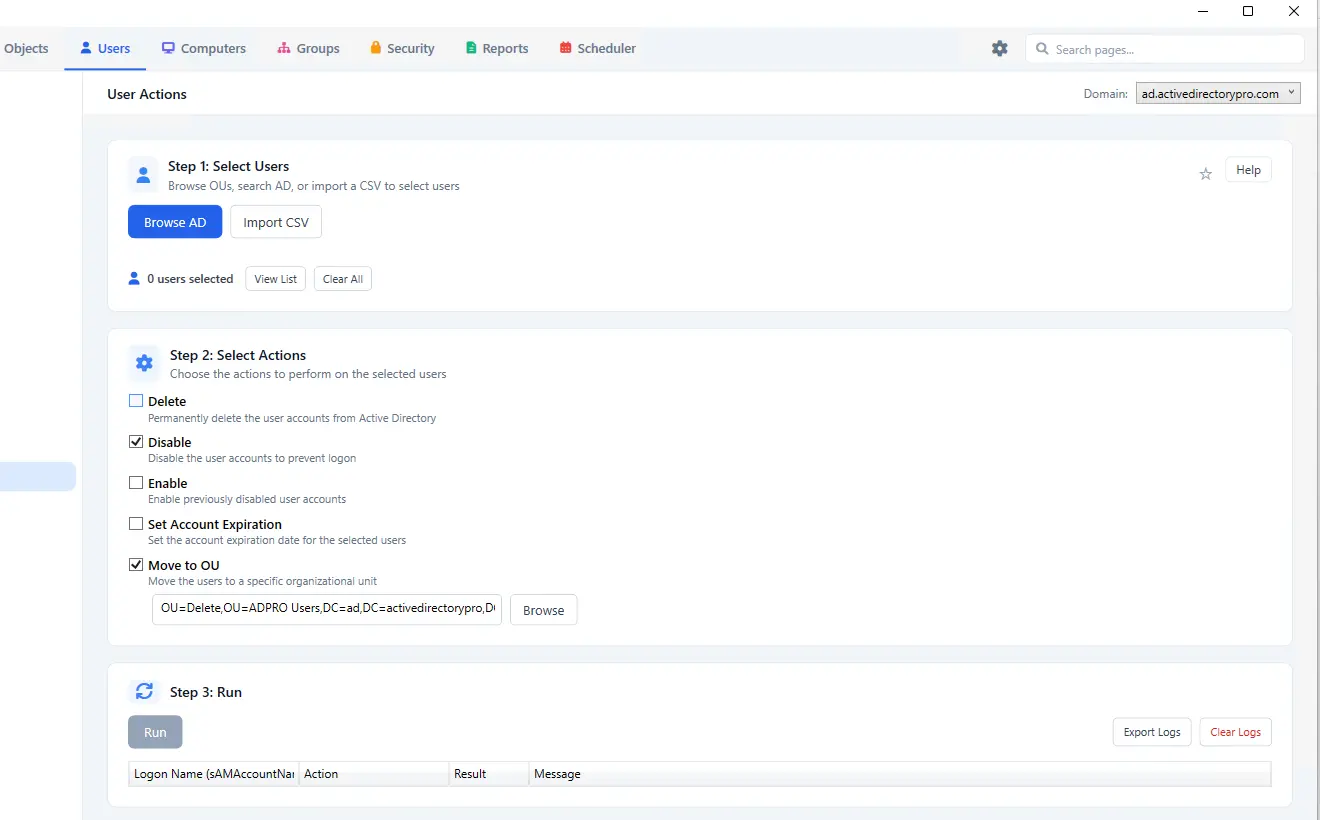
Run the one-off account actions across a selection instead of one at a time. Pick the users from the console or import a list from CSV, choose the action, and apply it to all of them in a single pass.

  • Bulk delete users
  • Bulk disable
  • Bulk enable
  • Bulk set account expiration
  • Bulk move to OU
  1. Click on Users > User Actions
  2. Select the users, or import a list from CSV
  3. Choose the action and click run

Attributes

What you can change in bulk

The fields most often updated across a whole department at once.

  • ManagerReassign reporting lines
  • Group membershipAdd or remove groups
  • Job titleUpdate titles in bulk
  • DescriptionSet account descriptions
  • Department and officeLocation and org details
  • Phone and emailContact details
  • Account expirationSet or clear dates
  • Enable or disableToggle account status
Part of AD Pro Toolkit

Bulk User Management is one of 40+ tools in AD Pro Toolkit, alongside password resets, group management, cleanup, and the security assessment. One license covers all of them.

See all tools

Frequently Asked Questions

How many accounts can I change at once?

There is no per-run limit. Select the users in the console or import the list from a CSV.

Can I see what will change before it runs?

Yes. Preview the operation first, including the rows that will fail, before anything is written to the directory.

Can I create users from a template?

Yes. Templates are reusable and can set group membership and generate passwords automatically.

Do I need to run it on a domain controller?

No. Install AD Pro Toolkit on any domain-joined workstation or server. It connects to Active Directory using your existing credentials.

Is it sold separately?

No. It is included in AD Pro Toolkit along with every other tool. There are no add-ons or per-tool upsells.

Manage users in bulk, in minutes.

Try Bulk User Management free as part of AD Pro Toolkit. Fifteen days, every tool unlocked.

For questions contact support@activedirectorypro.com