
Active Directory User Creation
Create one user from a form, or bulk import from a CSV
- CSV import
- User templates
- 40+ attributes
- Groups on creation
Included in AD Pro Toolkit, with 40+ tools in one console.
| Name | Username | Title | Status |
|---|---|---|---|
| Maya Chen | mchen | Account Executive | Created |
| Luis Romero | lromero | Sales Engineer | Created |
| Hannah Brooks | hbrooks | Sales Manager | Created |
| Kevin Patel | kpatel | Account Executive | Created |
| Sarah Mitchell | smitchell | Sales Development | Created |
Key features
Streamline user onboarding
Everything you need to create and manage users quickly and accurately.
Save time with user templates. Pre-fill departments, OUs, group memberships and other settings for consistent account creation.
Create hundreds of accounts in minutes using a CSV file. Use templates and validate the file before creation.
Review and validate all accounts in the import file before creating them. Catch errors early and make changes when needed.
Create on-prem AD accounts and Microsoft 365 accounts in one step. Automatically assign licenses and mailboxes.
Add users to one or more AD groups during creation. Supports security groups, distribution groups and nested groups.
Create complete user accounts using the data in your CSV file, including department, job title, manager, address, phone and more.
How it works
Each task, the steps to run it, and the screen it happens on.
-
01
User templates
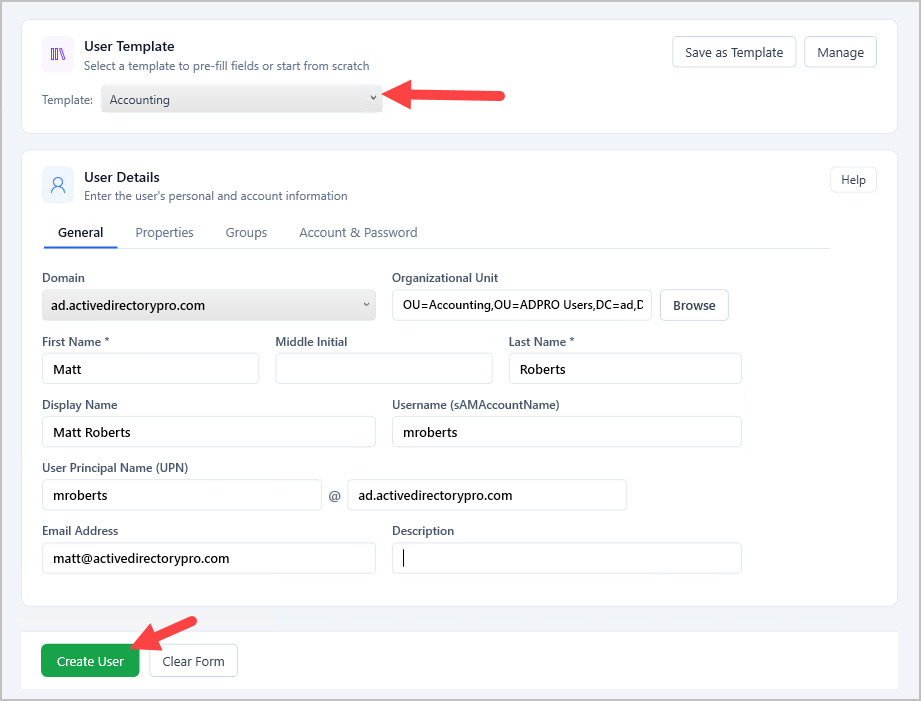
Create templates with pre-filled attributes like department, OU and group membership. Select a template when creating a new user and those fields populate automatically, so you are not entering the same details every time. Templates pay off wherever you create users with the same values week after week.
-
02
CSV import and bulk creation
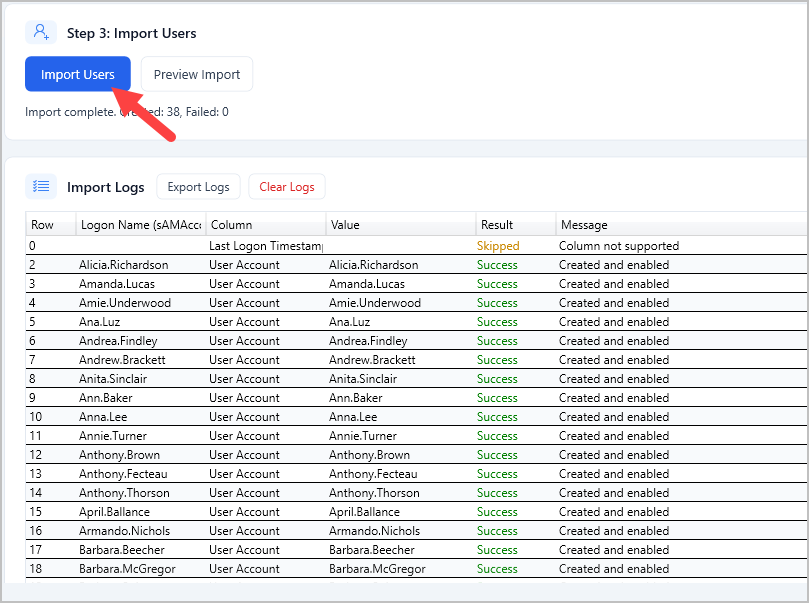
Import users from a CSV file to create hundreds of accounts in minutes. Download the CSV template, fill in details like name, username, password and OU, then import the file. Each entry is validated before the accounts are created and any errors are flagged so you can fix them first. Account options such as user must change password at next logon can be set during the import.
-
03
Attribute configuration
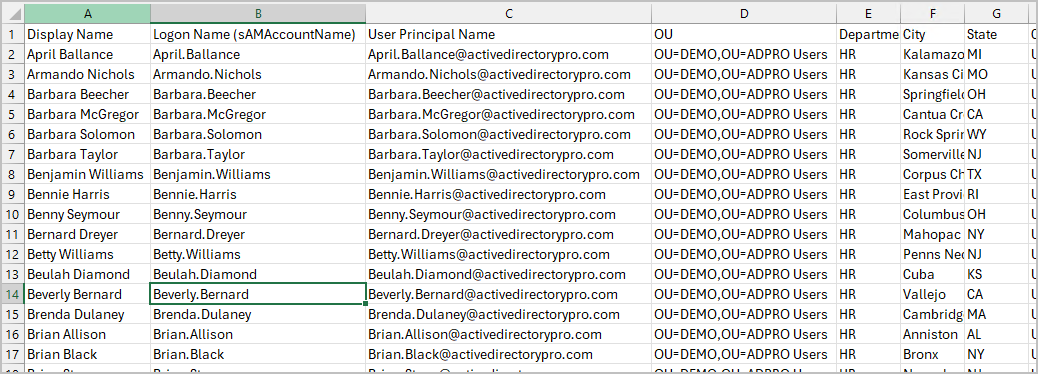
Configure over 40 user attributes during account creation, including job title, department, manager, office, phone number and address fields. Set them individually or in bulk through the CSV import. Every attribute maps directly to Active Directory, so accounts are fully populated from day one.
-
04
Group membership assignment
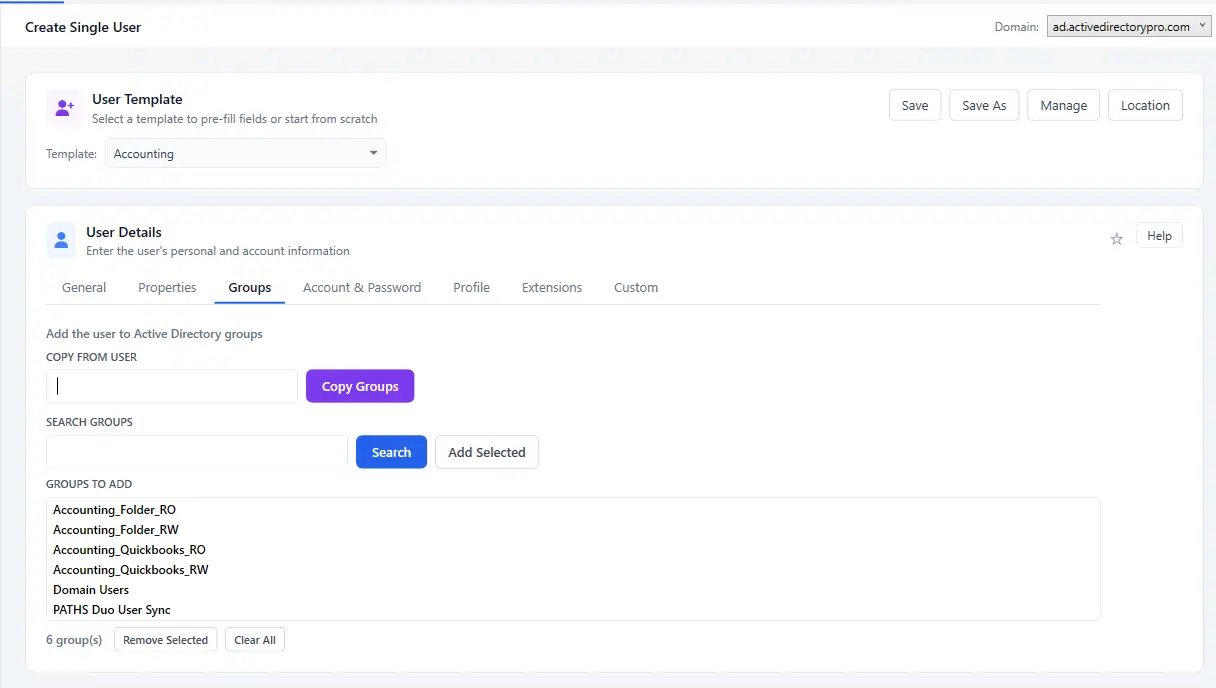
Assign users to security and distribution groups as part of provisioning. Add them to one or many groups during single account creation, or include the assignments in your CSV import. Combined with templates, every new user gets the right membership for their role or department automatically.
Fast, accurate AD user creation
Try user creation free as part of AD Pro Toolkit. Fifteen days, every tool unlocked.